OmniRX
Every signal around you, in one app. Turn a 30-dollar RTL-SDR dongle into a radio, scanner, spectrum analyser, aircraft and ship tracker, sensor reader and satellite station.

OmniRX turns a small RTL-SDR USB dongle into a whole radio station. Plug it in and you can listen to FM in stereo with the station name on screen, follow the aircraft overhead and the ships near the coast on a live map, see every signal around you, read the weather station on your neighbour’s balcony, and record the next weather satellite that passes over your home.
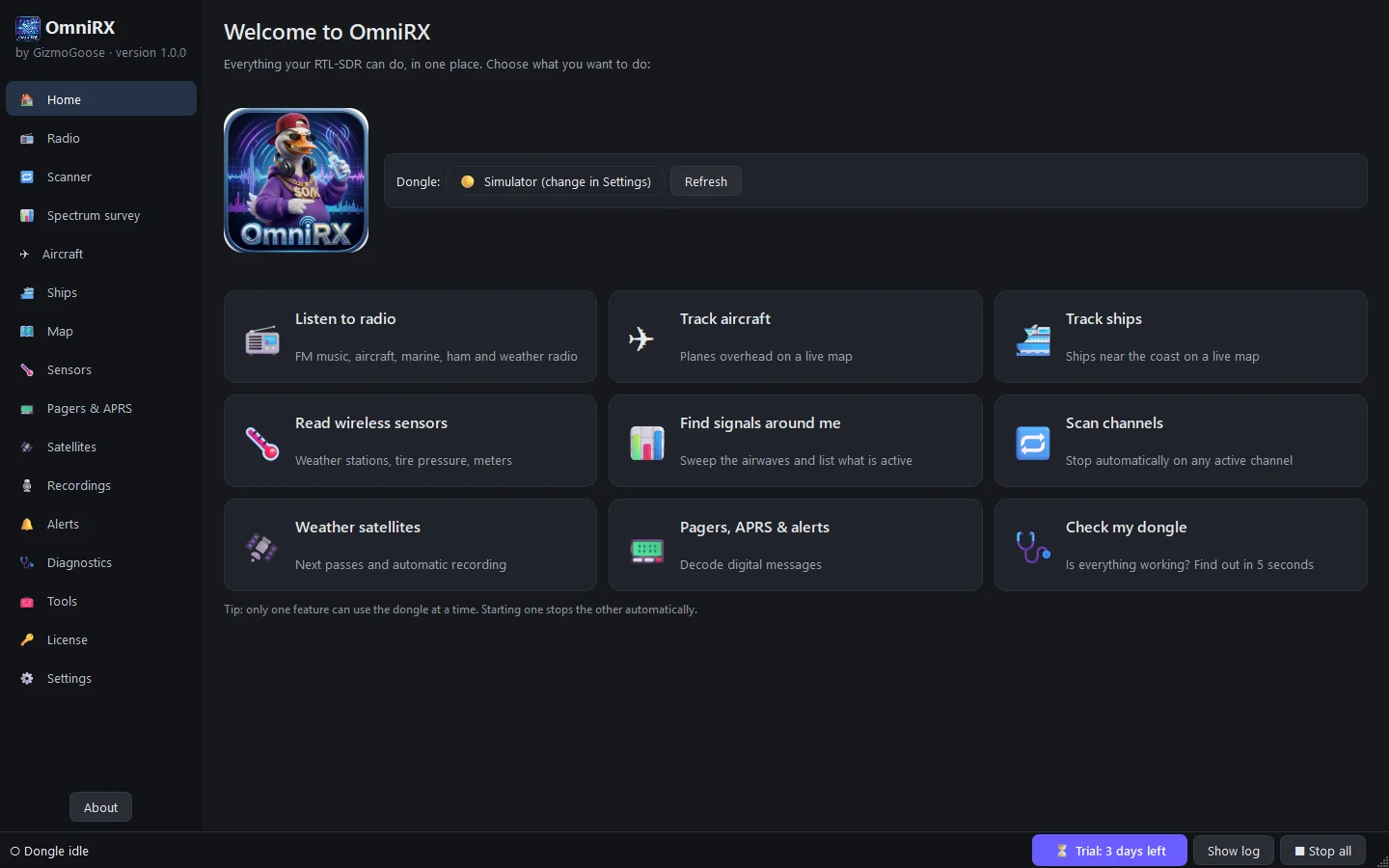
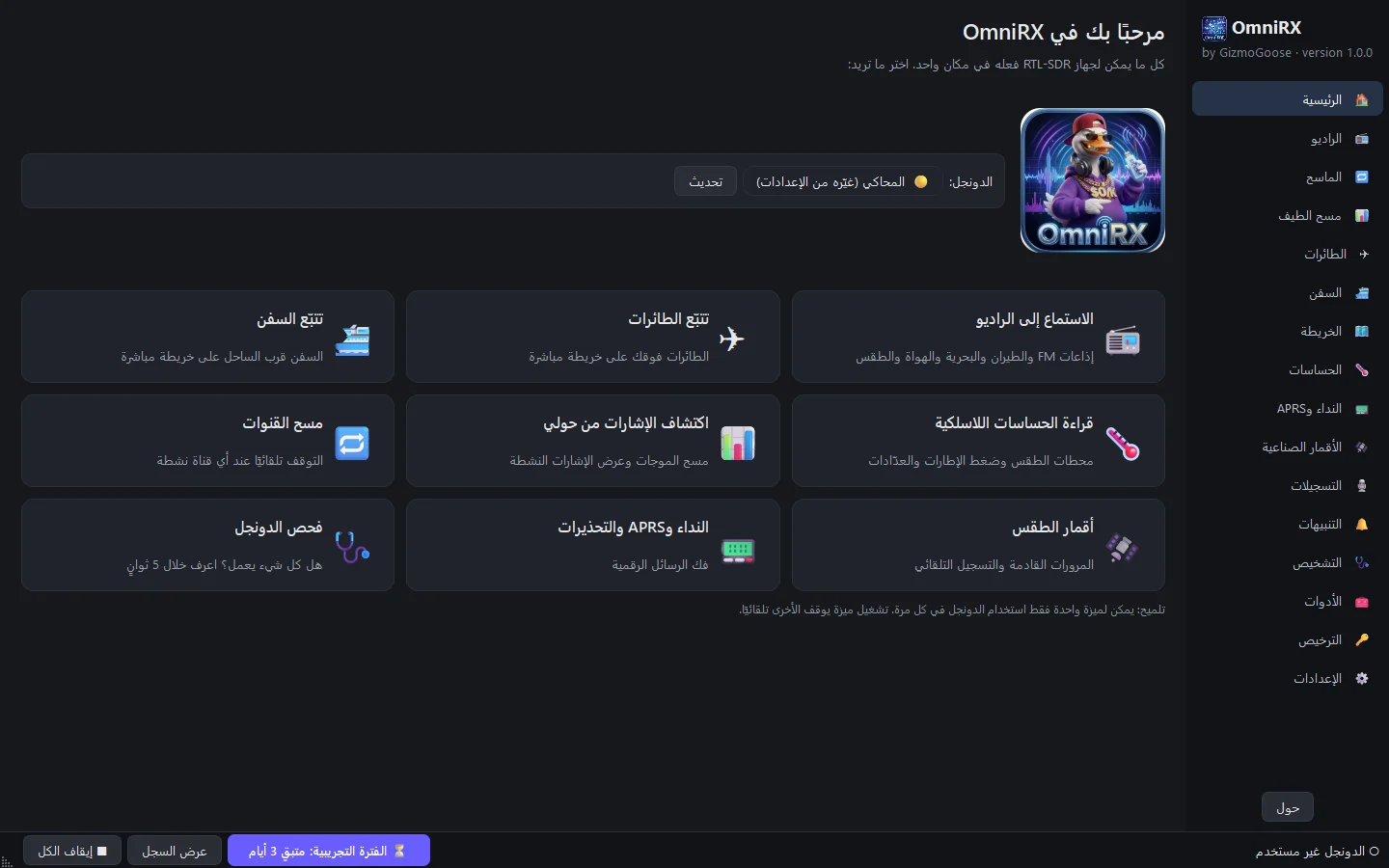
Everything lives in one app with one look. A Home page with a tile for every job, a setup wizard that installs the dongle driver for you, and a radio page that is simple at first sight, with every expert control one click away under More options. OmniRX looks after the dongle too: start one feature and the last one steps aside, so there is nothing to unplug and nothing to configure twice.
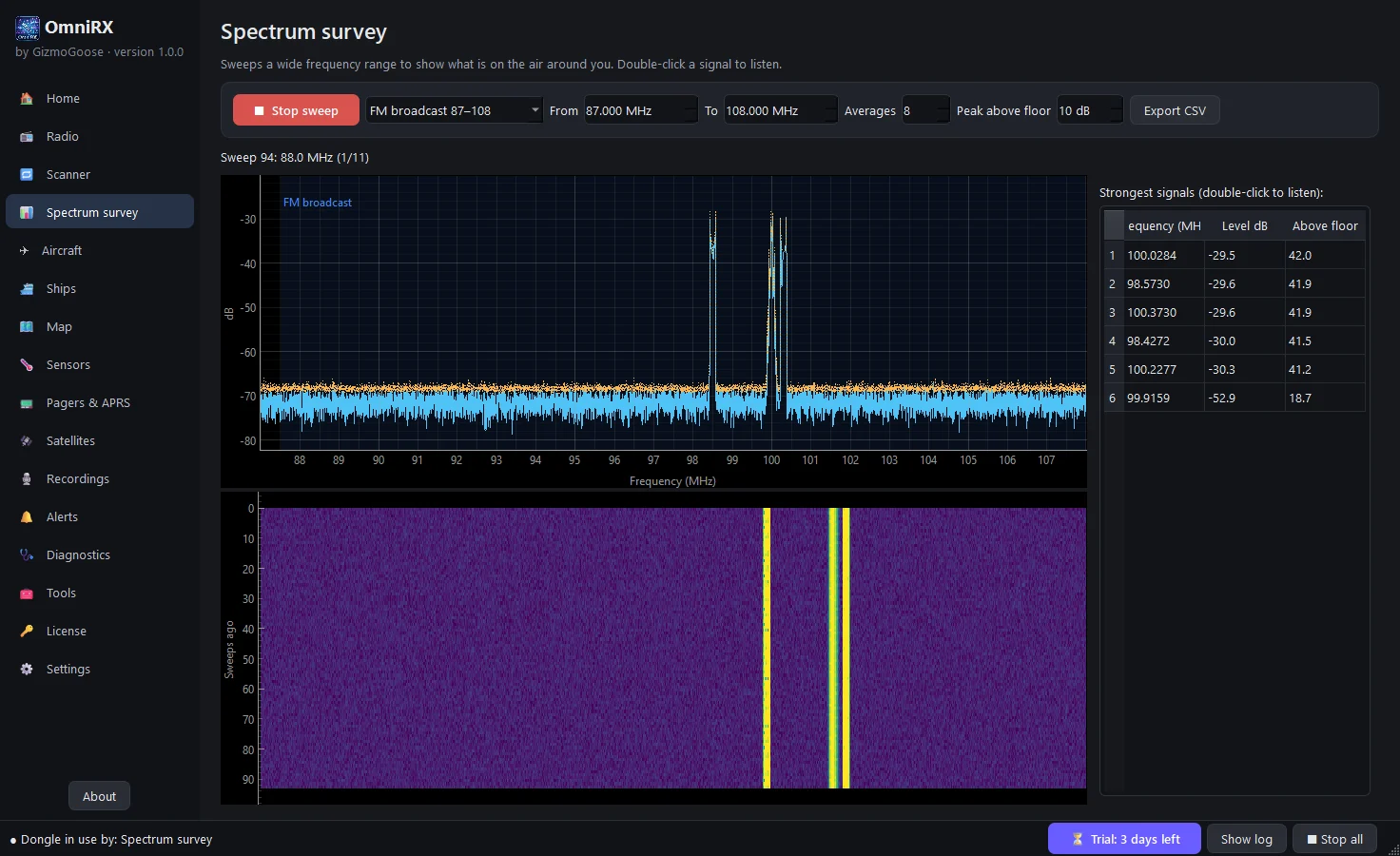
Not sure what is on the air where you live? The spectrum survey sweeps the whole band, labels it for your region, and lists the strongest signals. Double-click one to listen. Want to know when a particular aircraft, ship or sensor shows up? Set an alert and Windows tells you.
Made for radio enthusiasts and scanner listeners, aircraft and ship spotters, radio amateurs, students, teachers and makers, and for everyone who just bought an RTL-SDR and wants it to do everything on day one.
Try every feature free for 3 days. One purchase key unlocks OmniRX on your computer, and you can move it to a new computer yourself, even offline. The help center explains every page.
Requirements: Windows 10 or 11 (64-bit), or Linux (Ubuntu 22.04 or later, Debian 12, Mint 21 or later for the .deb; most x86-64 distributions for the AppImage), and an RTL-SDR dongle with its antenna. On Windows the decoders come with OmniRX and the setup wizard installs the USB driver; on Linux the .deb installs the dongle support and decoders from your distribution.
OmniRX in pictures
What it does
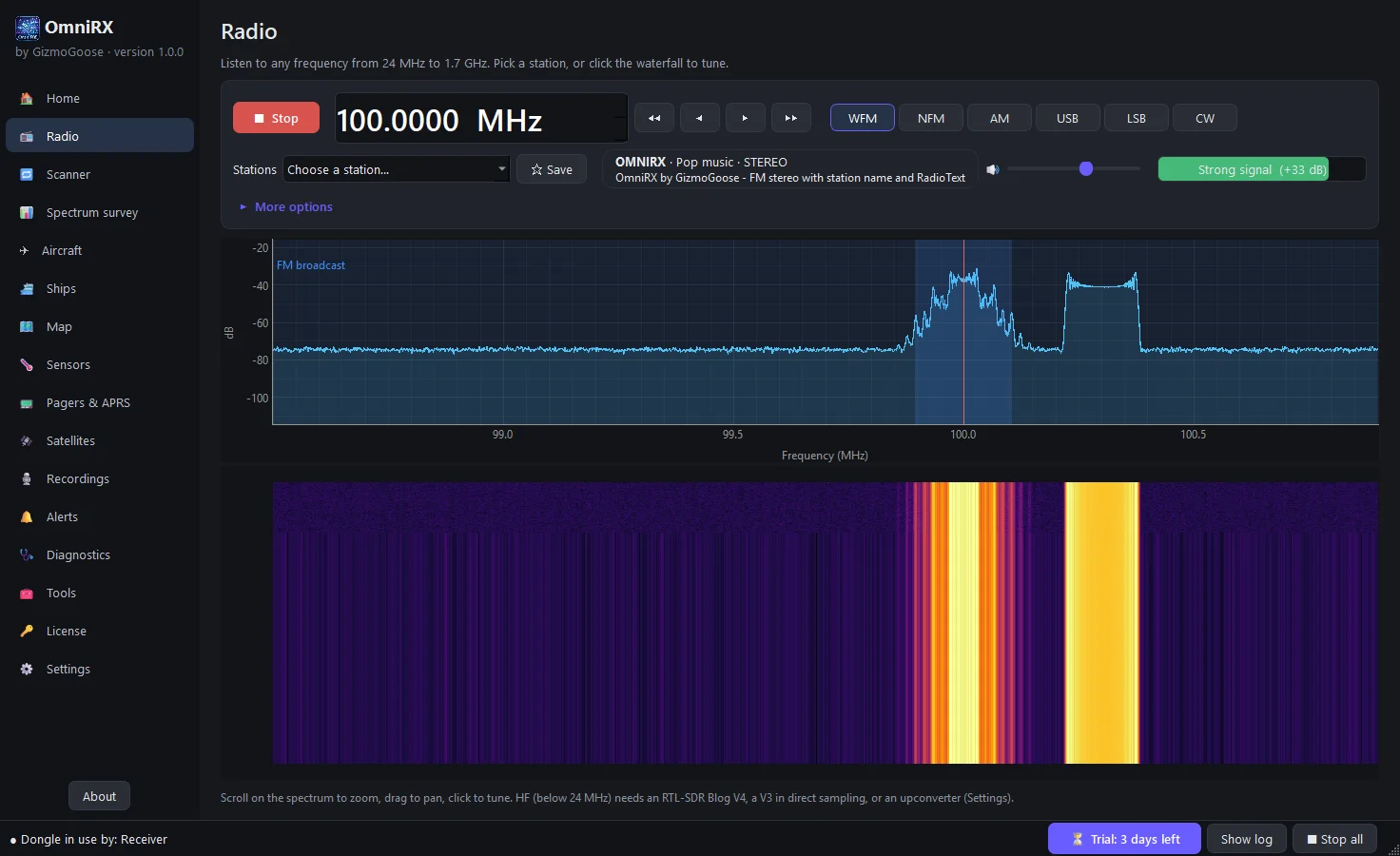
- A real radio from 24 MHz to 1.7 GHz: FM in stereo with the station name and RadioText, aircraft, marine, two-way and ham radio, plus shortwave with an RTL-SDR Blog V3 or V4
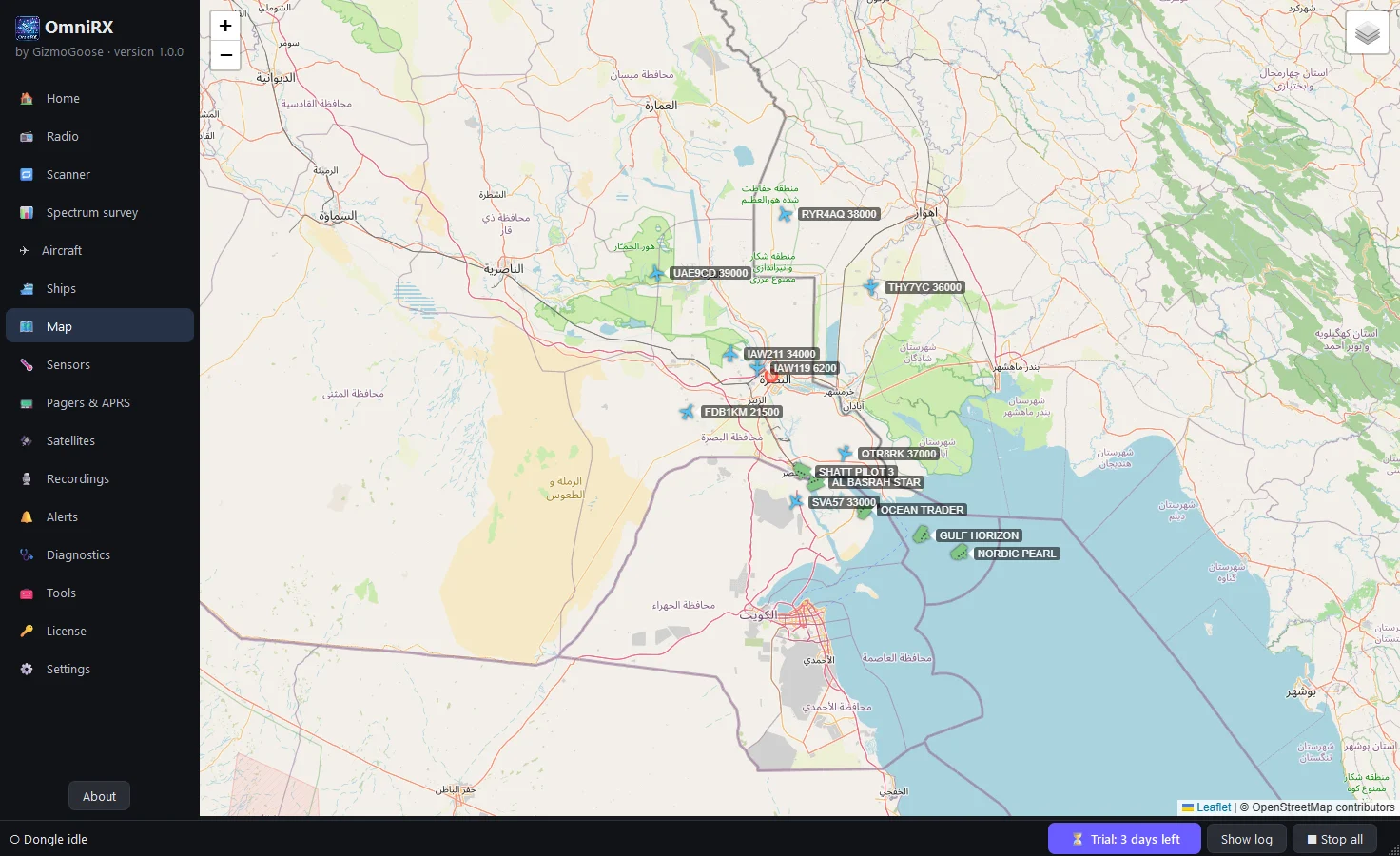
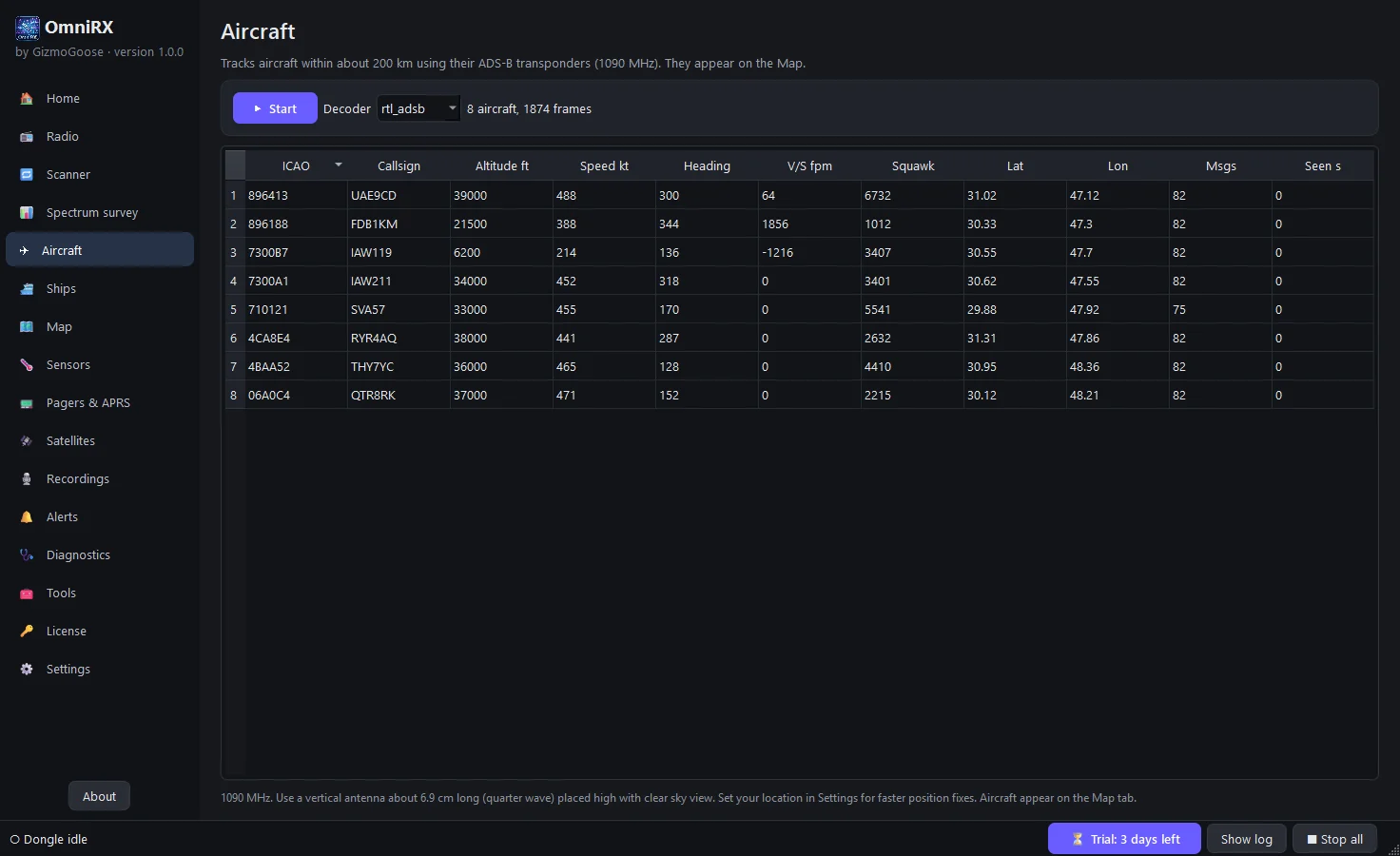
- A live map of the aircraft and ships around you, from their own ADS-B and AIS broadcasts
- Find every signal near you: the spectrum survey sweeps the whole band, labels it and lists the strongest stations, one double-click to listen
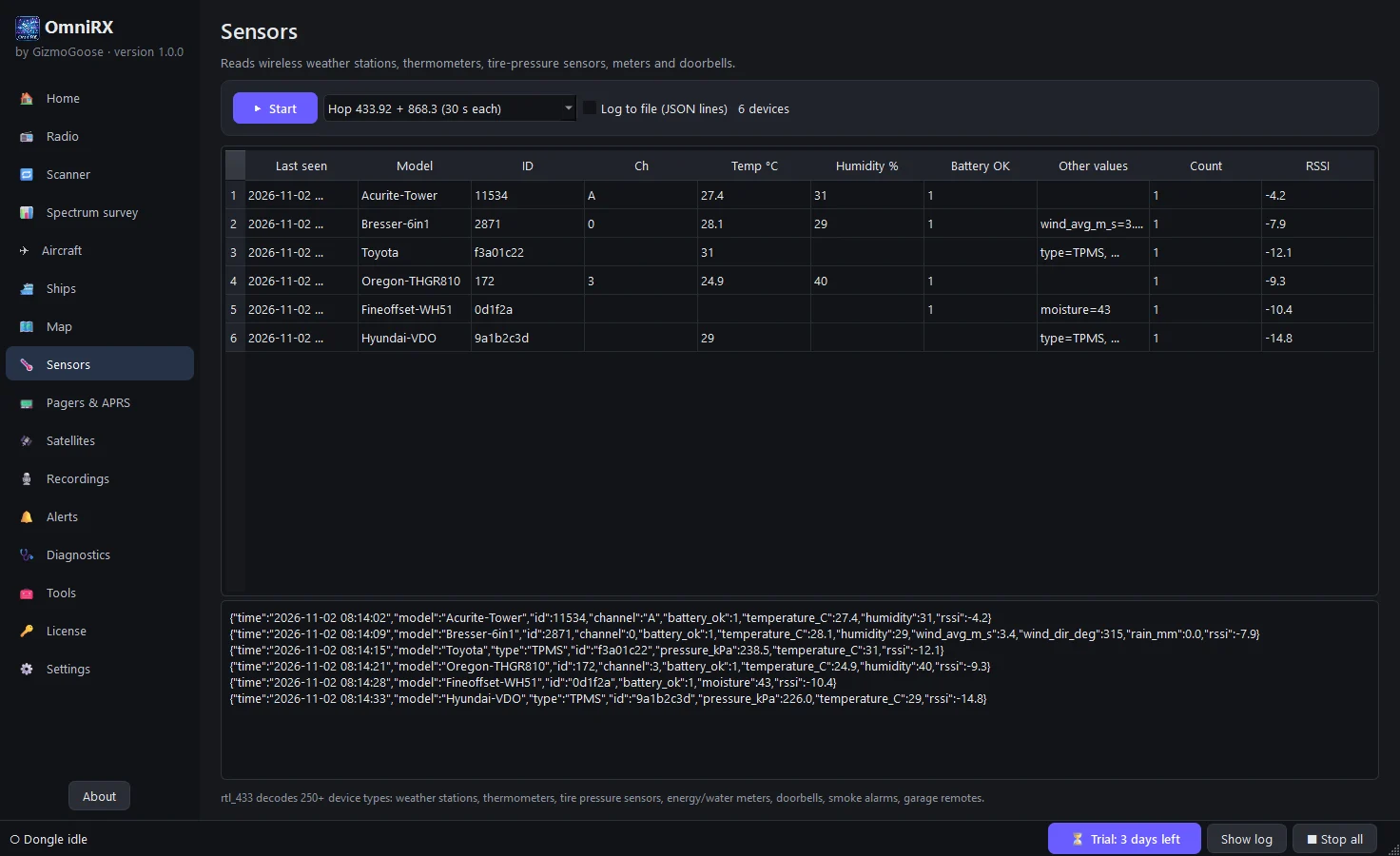
- Reads 250+ wireless devices (weather stations, tyre-pressure sensors, meters) and decodes pagers, APRS, weather alerts and Morse
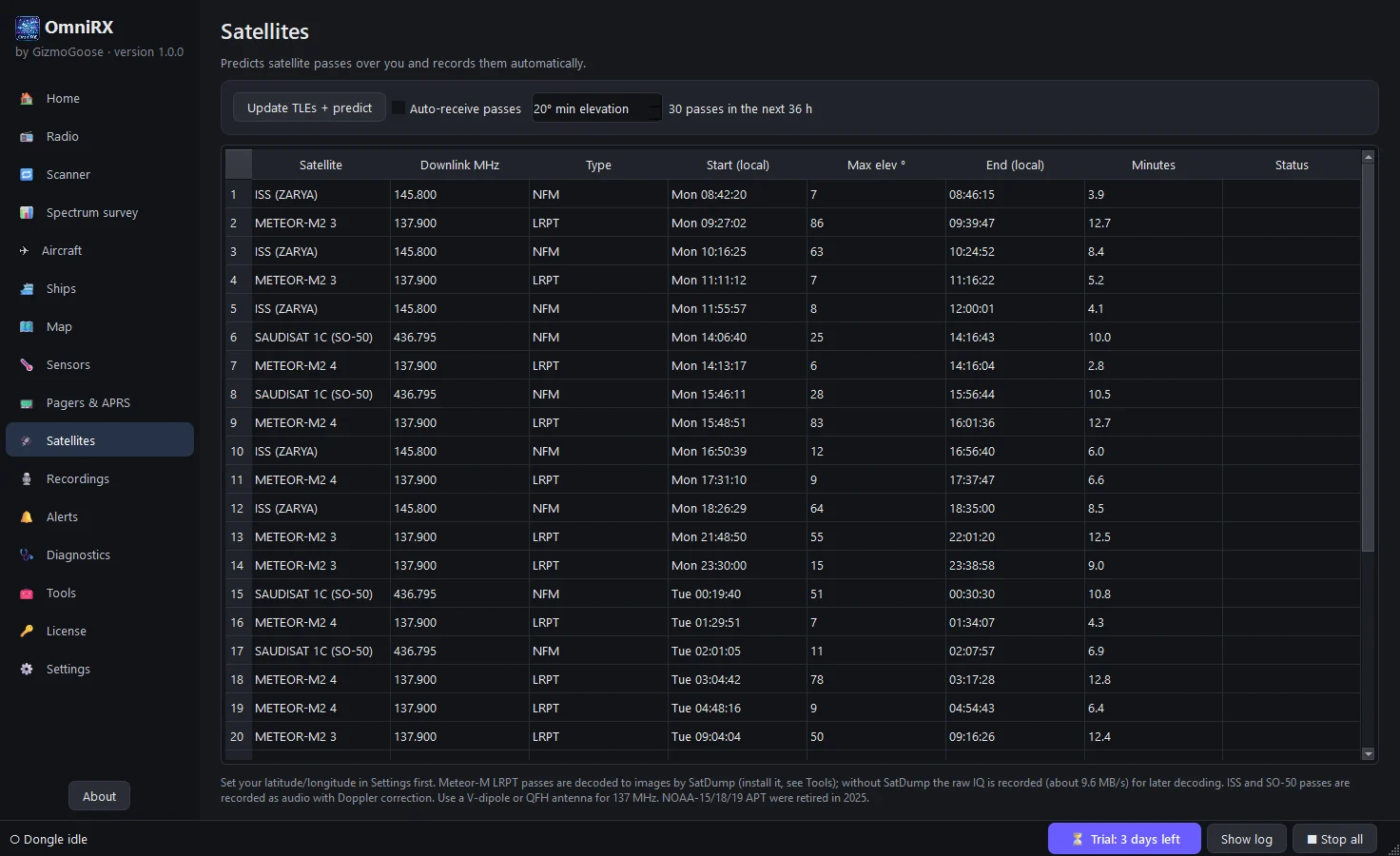
- Predicts weather-satellite and ISS passes and records them automatically, with Doppler correction
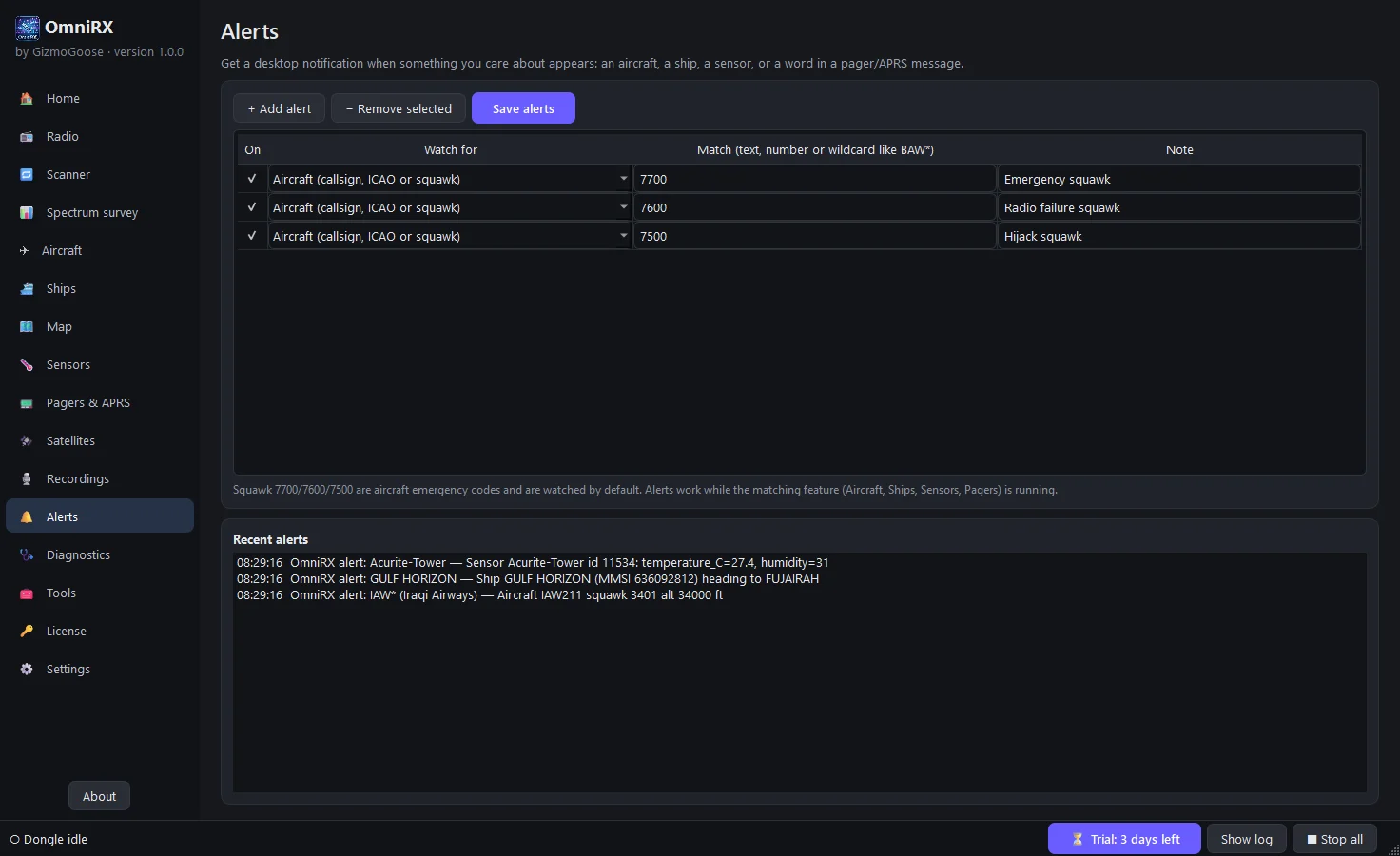
- Desktop alerts for the aircraft, ships, sensors or words you care about, with aircraft emergency codes watched out of the box
- A setup wizard installs the dongle driver, sets your region and location, and checks that everything works in seconds
- English and Arabic, dark and light themes, and a built-in simulator so you can try every page before your dongle arrives
Every feature
A radio that just works
- Every mode you need: wide FM, narrow FM, AM, upper and lower sideband and Morse, from 24 MHz to 1.7 GHz
- FM in true stereo, with the station name, programme type and scrolling RadioText (RDS) on screen
- Shortwave and the HF bands with an RTL-SDR Blog V3 (direct sampling), a V4, or an upconverter
- A big frequency display, step buttons, keyboard tuning and click-to-tune on the spectrum and waterfall
- Ready-made stations for your region, plus your own saved favourites
- Automatic squelch that keeps the speaker quiet until someone talks, and a signal meter in plain words
- Record the audio, or the raw radio data (IQ) to play back later and tune around inside it as if it were live
See what is on the air
- A live spectrum and waterfall with the bands labelled: FM, airband, marine, ham, ISM, mobile phones and more, for your region
- The spectrum survey sweeps any range from 24 to 1766 MHz, draws a heatmap over time and lists the strongest signals
- The scanner steps through your channel list and stops on whatever is active, then carries on
- Filter width, FFT resolution, smoothing, peak hold and waterfall contrast for when you want to go deeper
Aircraft and ships on a map
- Aircraft from their ADS-B transponders at 1090 MHz: callsign, altitude, speed, heading, climb rate and squawk
- Ships from their AIS broadcasts: name, MMSI, call sign, type, speed, course and destination
- One live map with aircraft, ships and APRS stations, each with its own layer and a pop-up with the details
Decoders built in
- Wireless sensors on 433, 315, 868 and 915 MHz: 250+ device types, from weather stations and thermometers to tyre pressure and energy meters
- Pager messages (POCSAG, FLEX), APRS packet radio including the ISS, NOAA weather alerts, DTMF, selective calling and Morse
- Weather-satellite and ISS passes predicted for your location and recorded automatically, with Doppler correction
- ACARS and VDL2 aircraft messages and network sharing of your dongle (rtl_tcp), ready to run from the Tools page
Alerts and recordings
- A Windows notification when a chosen aircraft, ship, sensor or message word appears; emergency squawks 7700, 7600 and 7500 are watched by default
- Every recording in one place: play audio, open radio data for playback, rename and delete
- Spectrum surveys exported to CSV and sensor readings logged to a file
Easy from the first minute
- A setup wizard: language, region, location and a guided driver install in about a minute
- One feature uses the dongle at a time and OmniRX switches between them for you; no unplugging, no conflicts
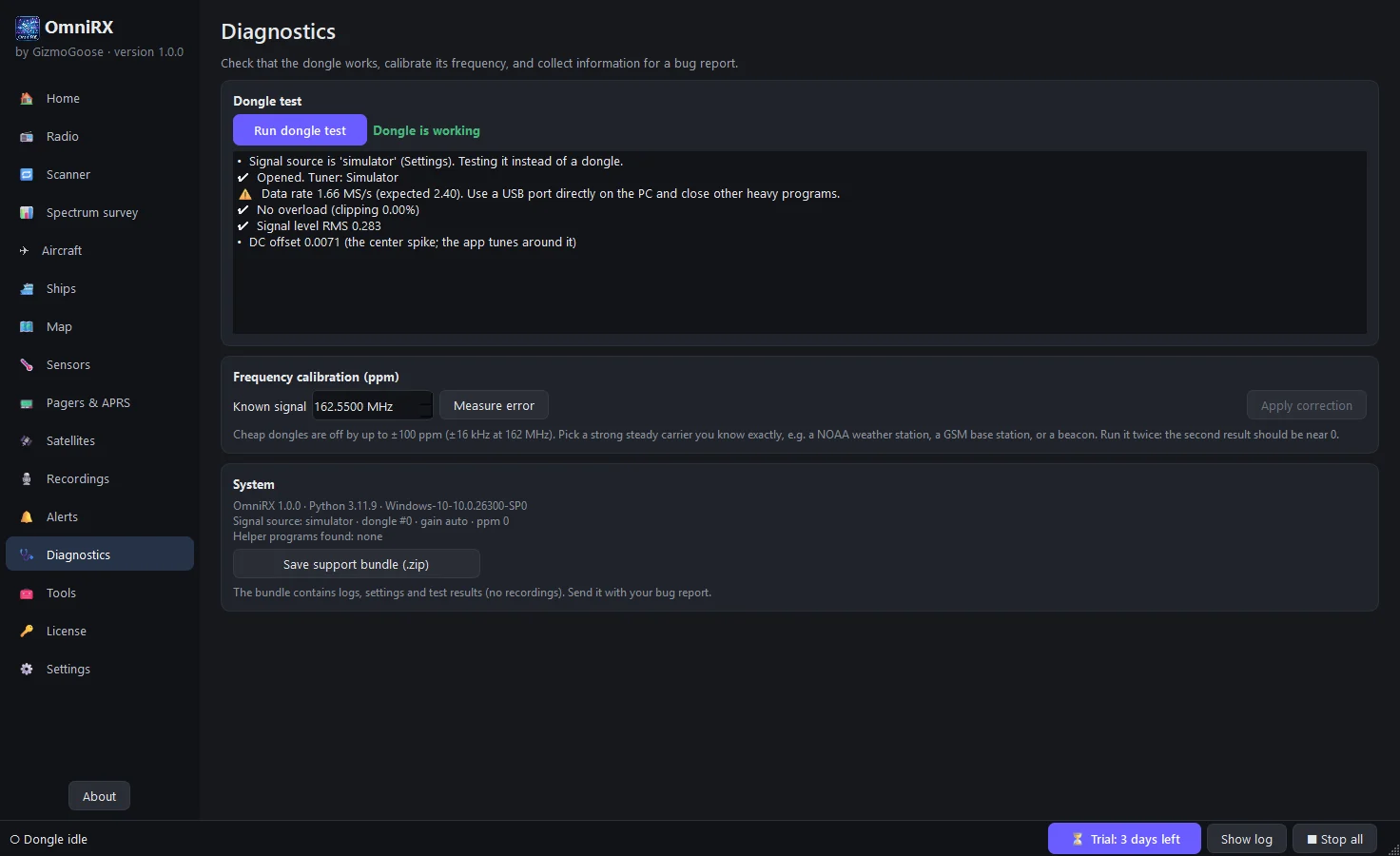
- Diagnostics tells you in plain words whether the dongle, driver and USB connection are working, and calibrates its frequency
- A built-in simulator with test stations, so you can explore every page before your dongle arrives
- English and Arabic (right to left), dark and light themes
Technical specifications
- Hardware: any RTL2832U dongle (RTL-SDR Blog V3 and V4, generic R820T/R820T2 and R828D sticks); 2.4 MS/s, 24 to 1766 MHz, HF with direct sampling, a V4 or an upconverter
- Radio: WFM with stereo and RDS (PS, RadioText, PTY), NFM, AM, USB, LSB, CW; adjustable filter, AGC and squelch; IQ recording as 16-bit WAV
- Decoders included: rtl_433, rtl_adsb, AIS-catcher, multimon-ng and rtl_tcp, installed with OmniRX
- Platforms: Windows 10 and 11 (64-bit; Microsoft Store or installer) and Linux (.deb for Ubuntu, Debian and Mint, AppImage for other distributions); the map uses OpenStreetMap and needs internet, everything else works offline
Private and yours
- Runs on your own computer; nothing you receive is uploaded anywhere
- It goes online only for the map, satellite orbits, the update check and licence activation
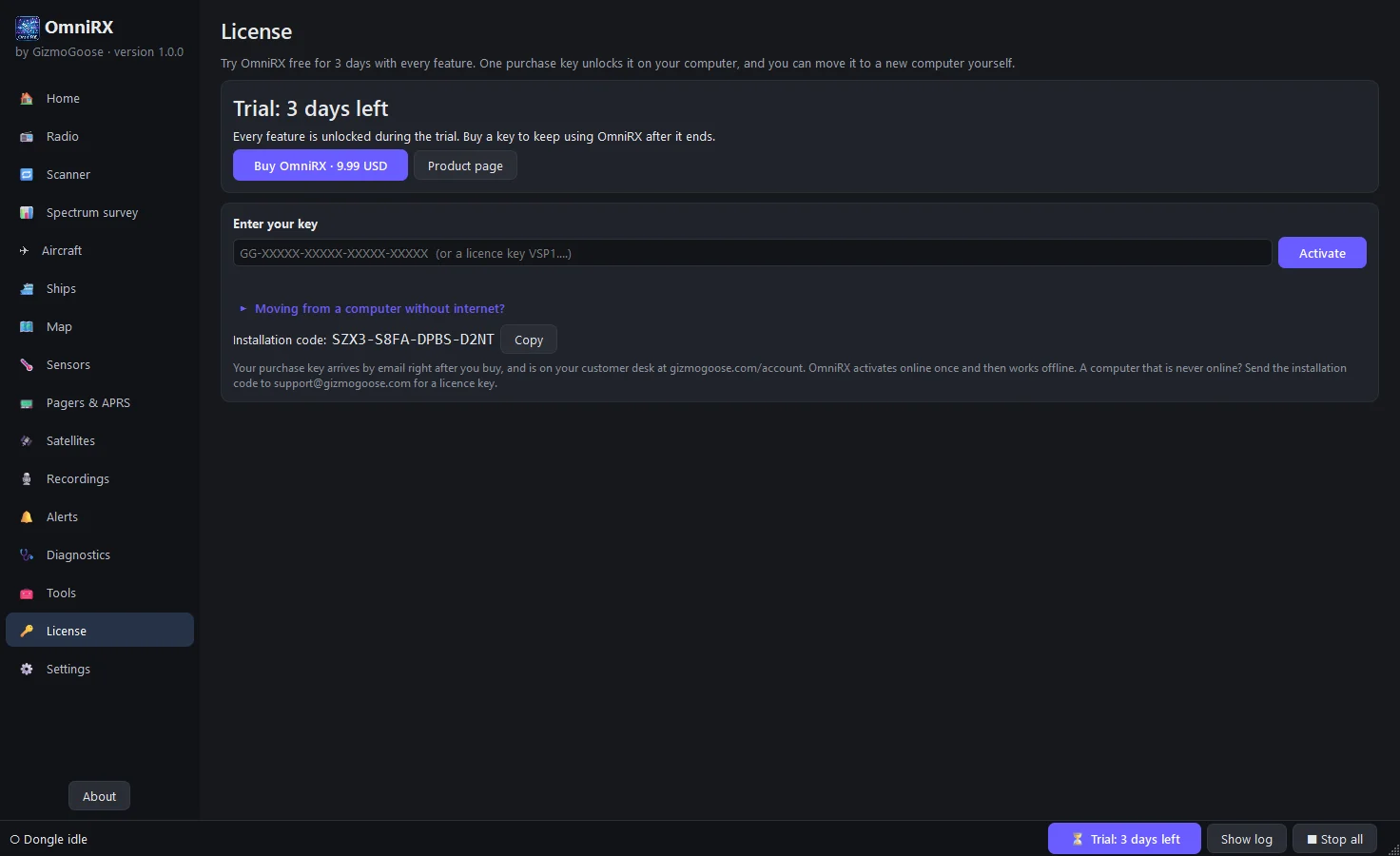
- A 3-day free trial with every feature
- Pay once, no subscription; one computer at a time, and you move it yourself