SignalSight
See your Wi-Fi. Walk from room to room and get a plain answer for each one, what is wrong and exactly what to change, from one router to a whole office.
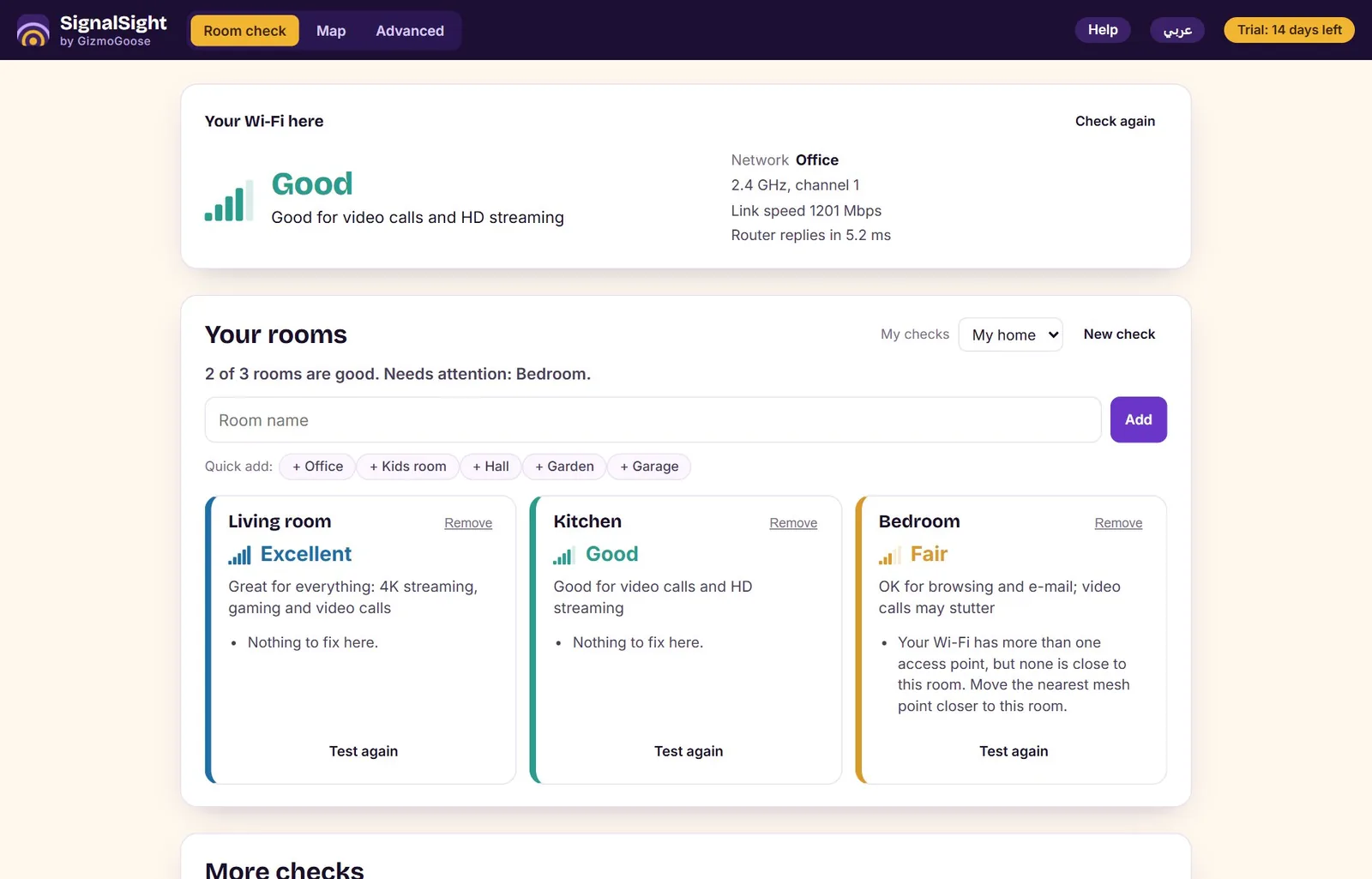
SignalSight shows you your Wi-Fi the way a technician would see it, and tells you what to do in plain words. Stand in a room and it says how good the Wi-Fi is there and why; walk from room to room and it gives every room a grade with the one change that would help most.
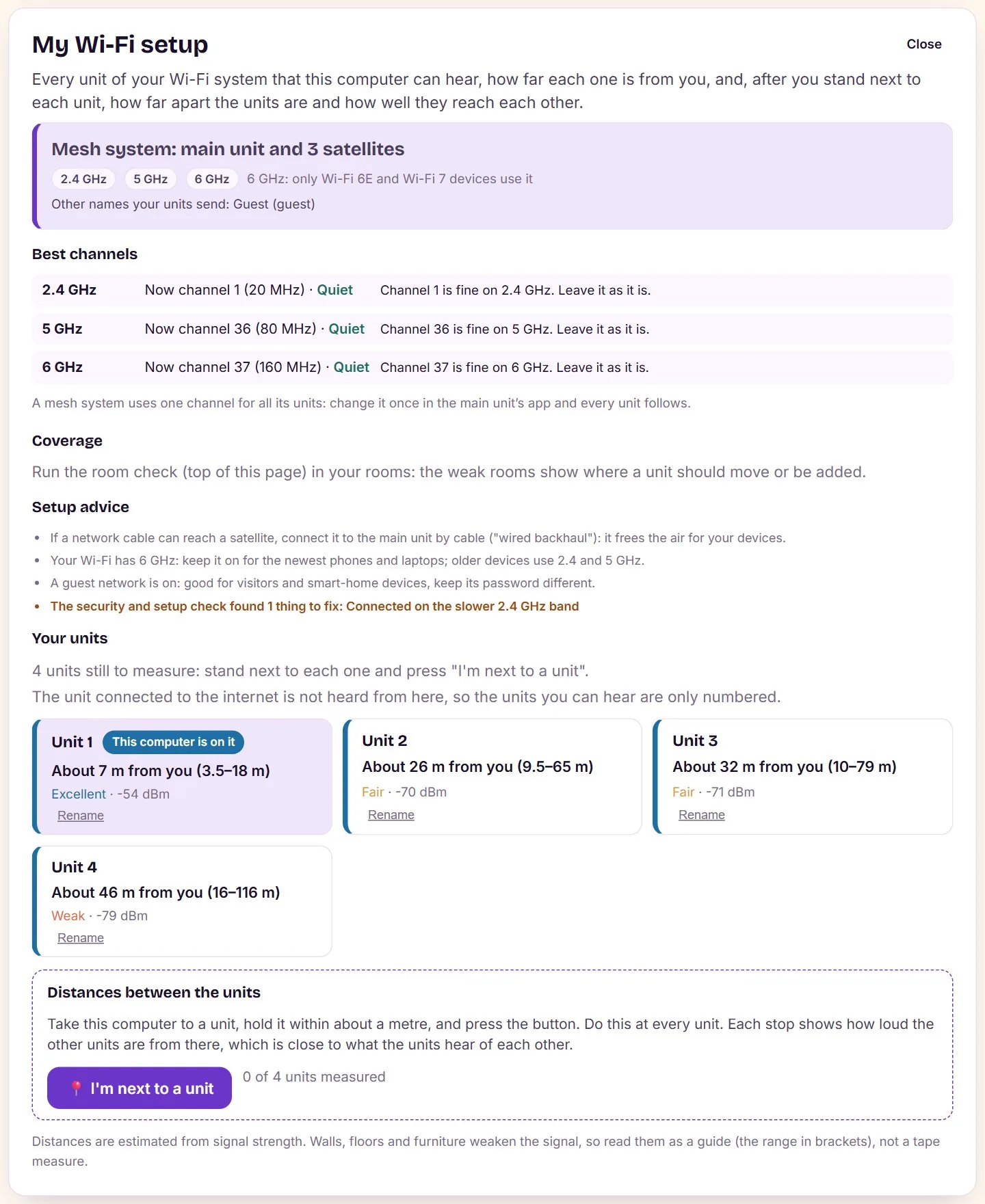
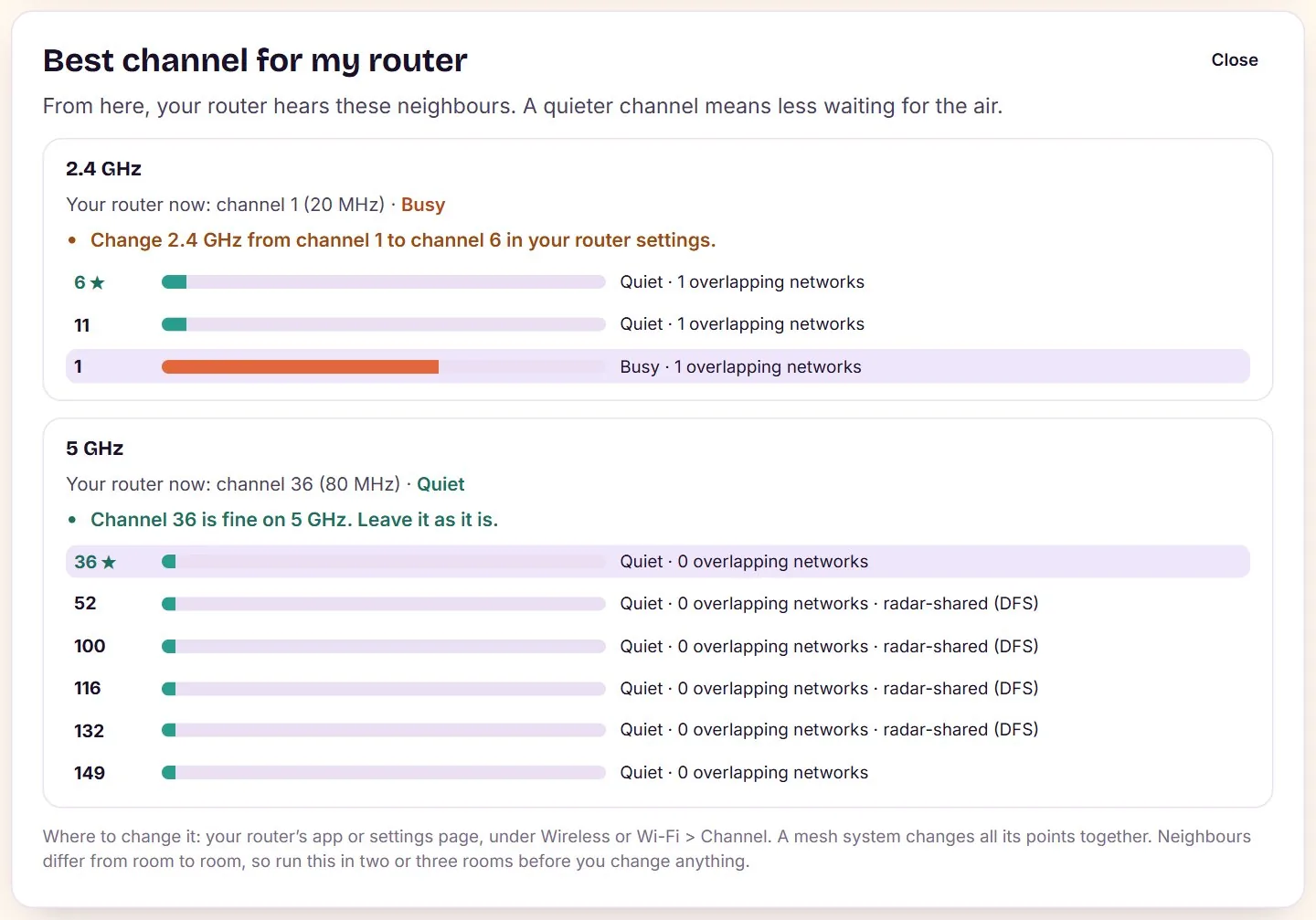
It finds your equipment by itself: one router, a mesh system, a router with an extender or several routers. For a mesh it shows each unit, how far it is from you and from the next unit in metres, and whether they are too far apart or too close. It picks the least crowded channel for 2.4, 5 and 6 GHz, counting your neighbours but not your own units.
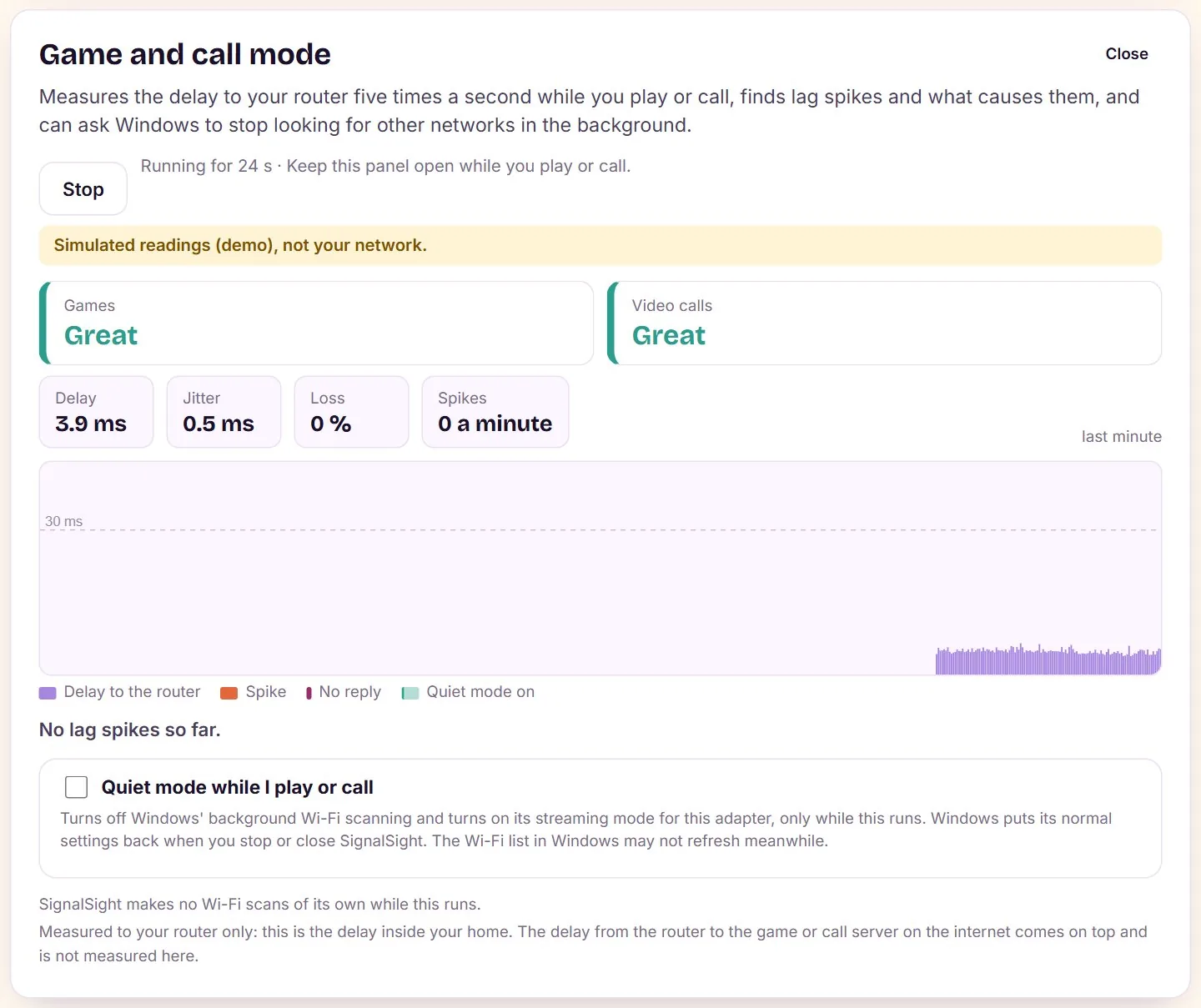
When something goes wrong, SignalSight tells you whether it is the Wi-Fi or the internet, reads why the connection dropped from the computer’s own log, and lists every device on the network with its maker. A game and call mode keeps the latency steady by holding back background scans.
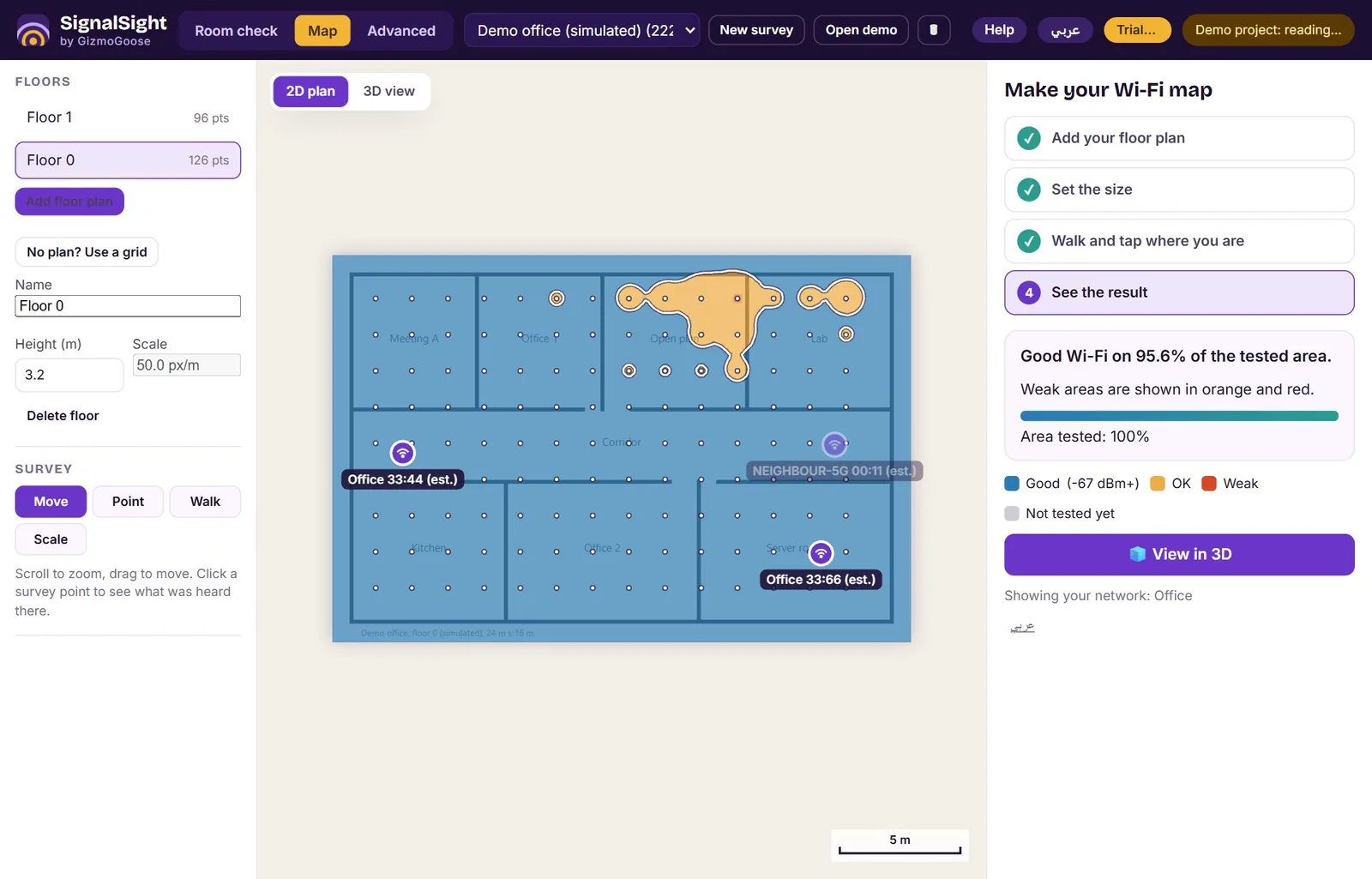
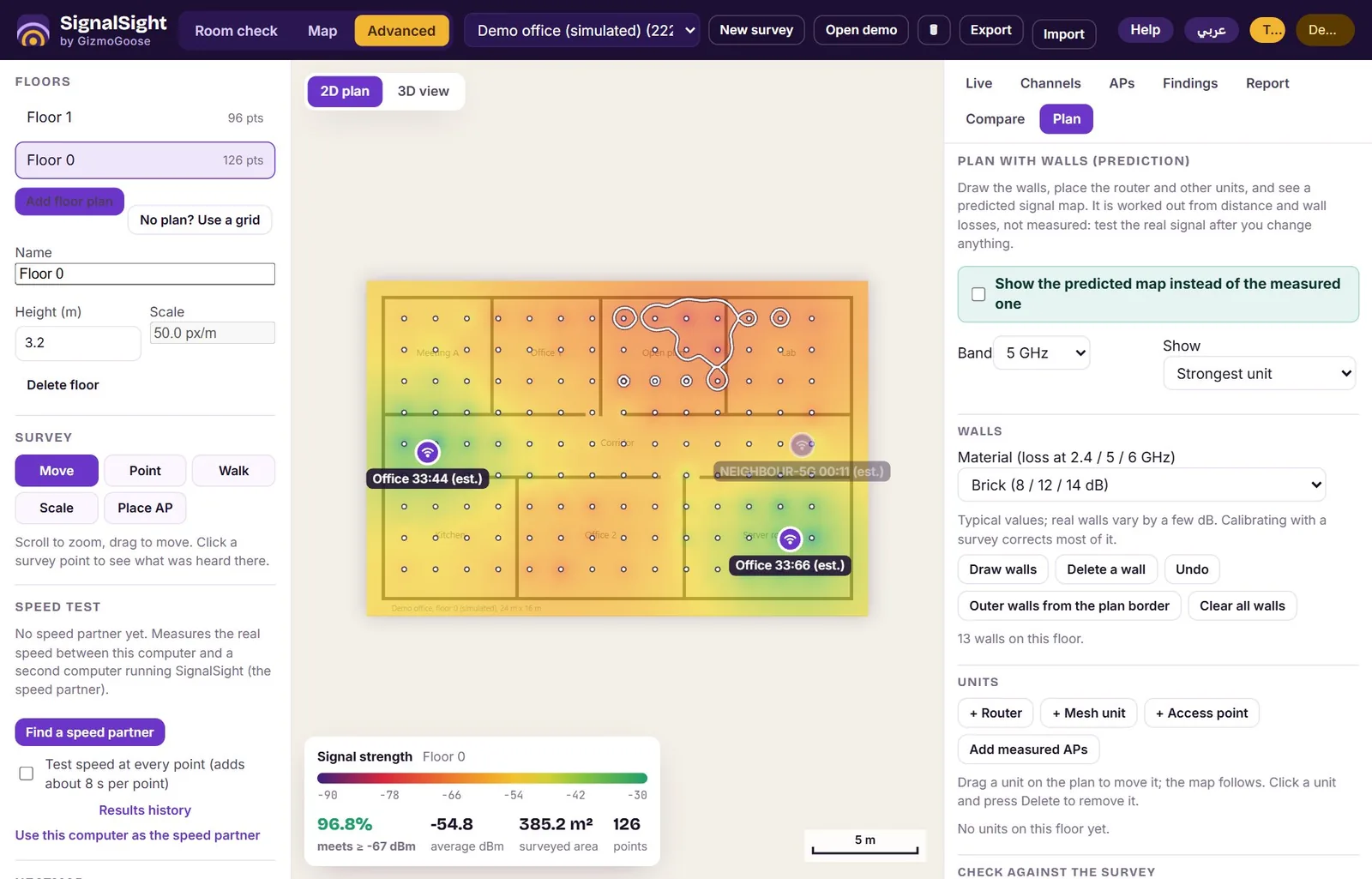
For a bigger home or an office, load a floor plan and walk it for a real signal heat map, or draw the walls and plan ahead: SignalSight predicts the coverage with typical antennas or the maker’s own antenna files, and suggests where up to four units should go. Technicians get a job pack for the customer with the parts, the channel plan and before/after results, in English or Arabic.
Everything runs on your own computer, with no account and no cloud; it goes online only for the internet speed test you start, licence activation and the update check. Try every feature free for 3 days; one purchase key then unlocks SignalSight on your computer for good, and you can move it to a new computer yourself. The help center has step-by-step guides, and the app has a full help guide with pictures in English and Arabic, also as a PDF: user guide (English) · دليل الاستخدام (العربية).
Requirements: Windows 10 or 11 (64-bit) with Wi-Fi, or Linux with NetworkManager or the iw tool (Ubuntu 22.04 or later for the .deb; any distribution with glibc 2.31 or later for the AppImage). On Linux SignalSight opens in your web browser; the disconnection history, the overnight watch and game mode’s quiet mode use Windows features and are on Windows only.
SignalSight in pictures
What it does
- A plain answer for every room: how good the Wi-Fi is there, why, and exactly what to change
- My Wi-Fi setup: finds your router, mesh units and extenders by themselves, how far each one is from you and from each other, and the best channel for every band including 6 GHz
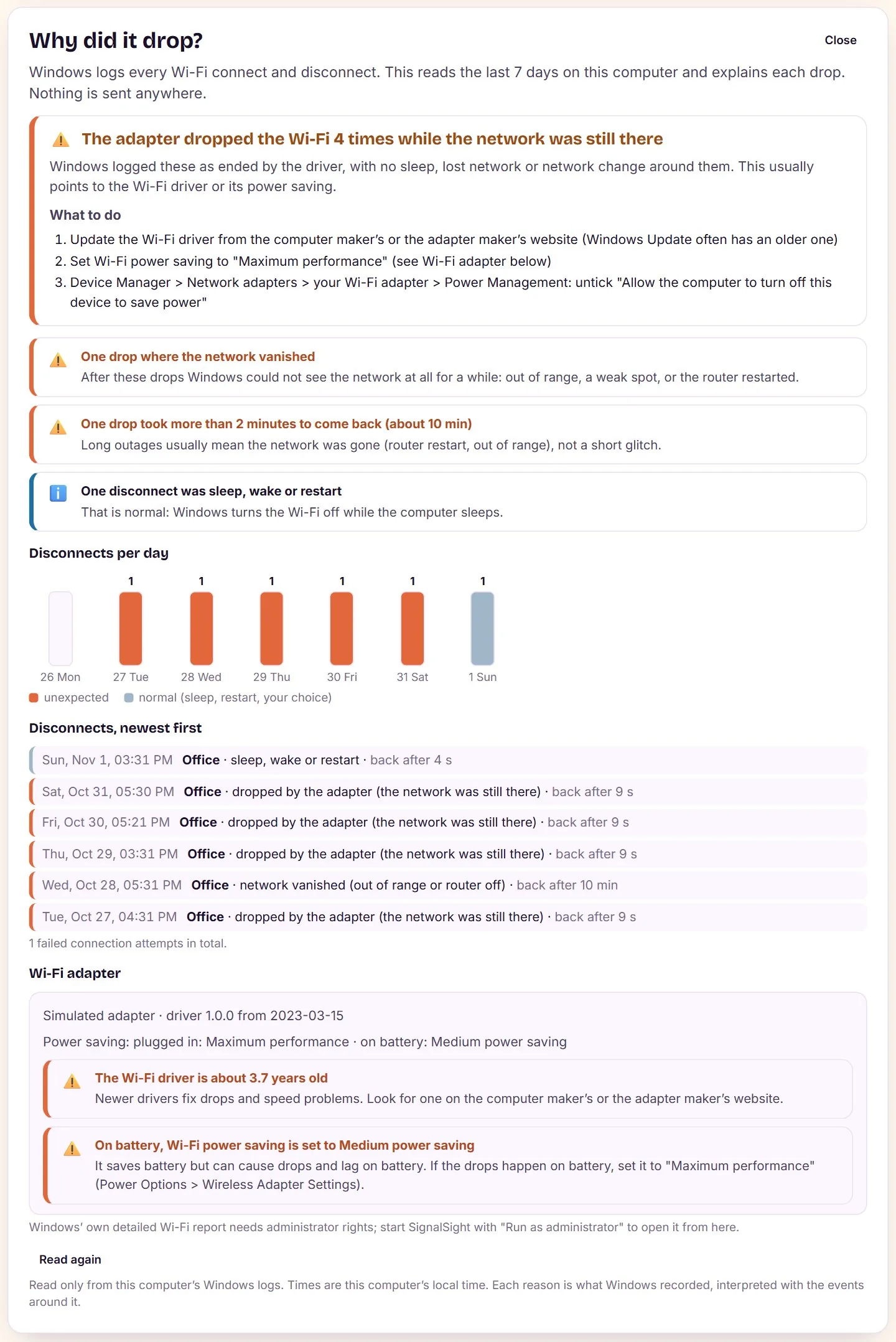
- Is it the Wi-Fi or the internet? One click tells you which, and why the connection dropped last night
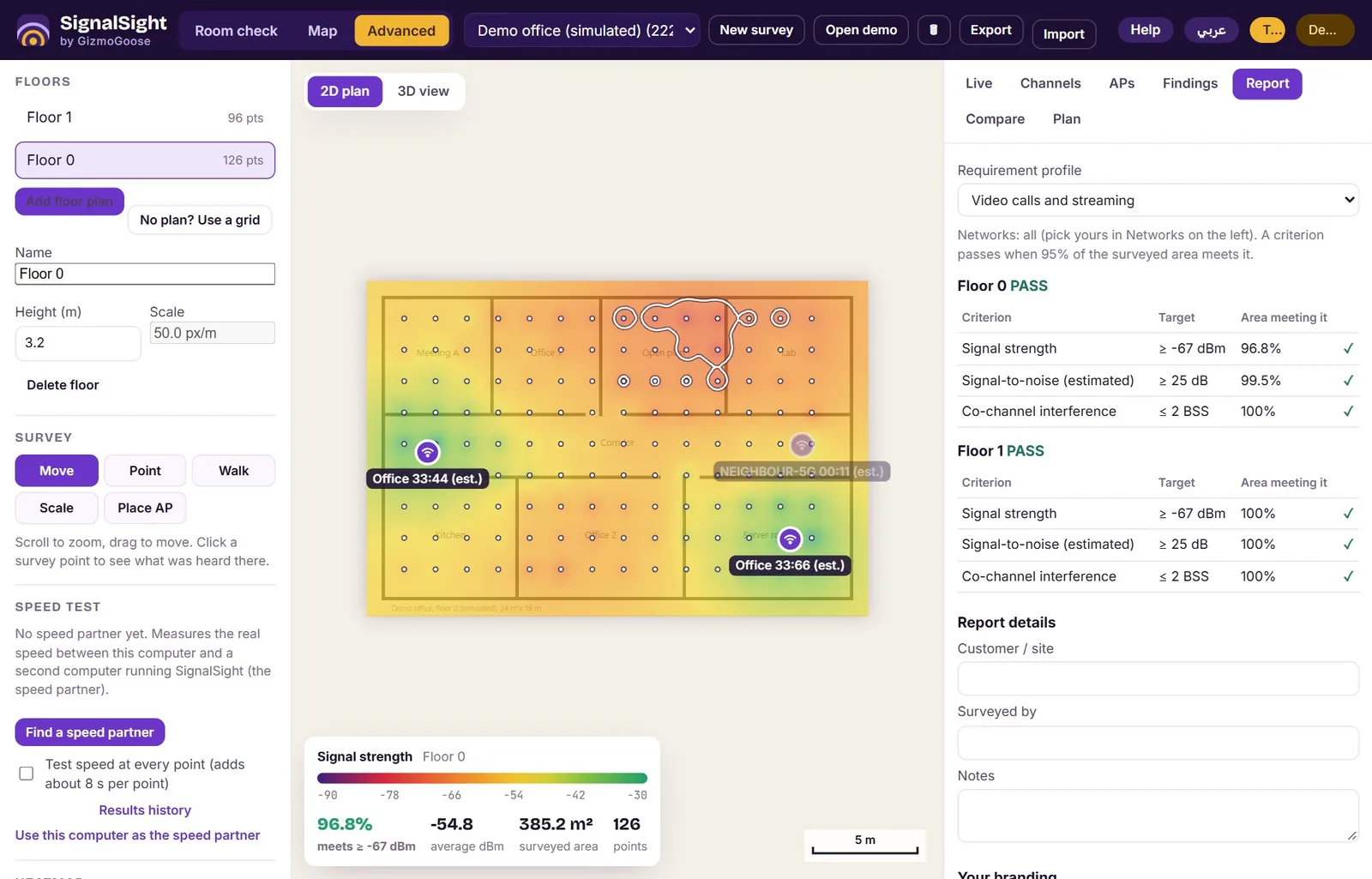
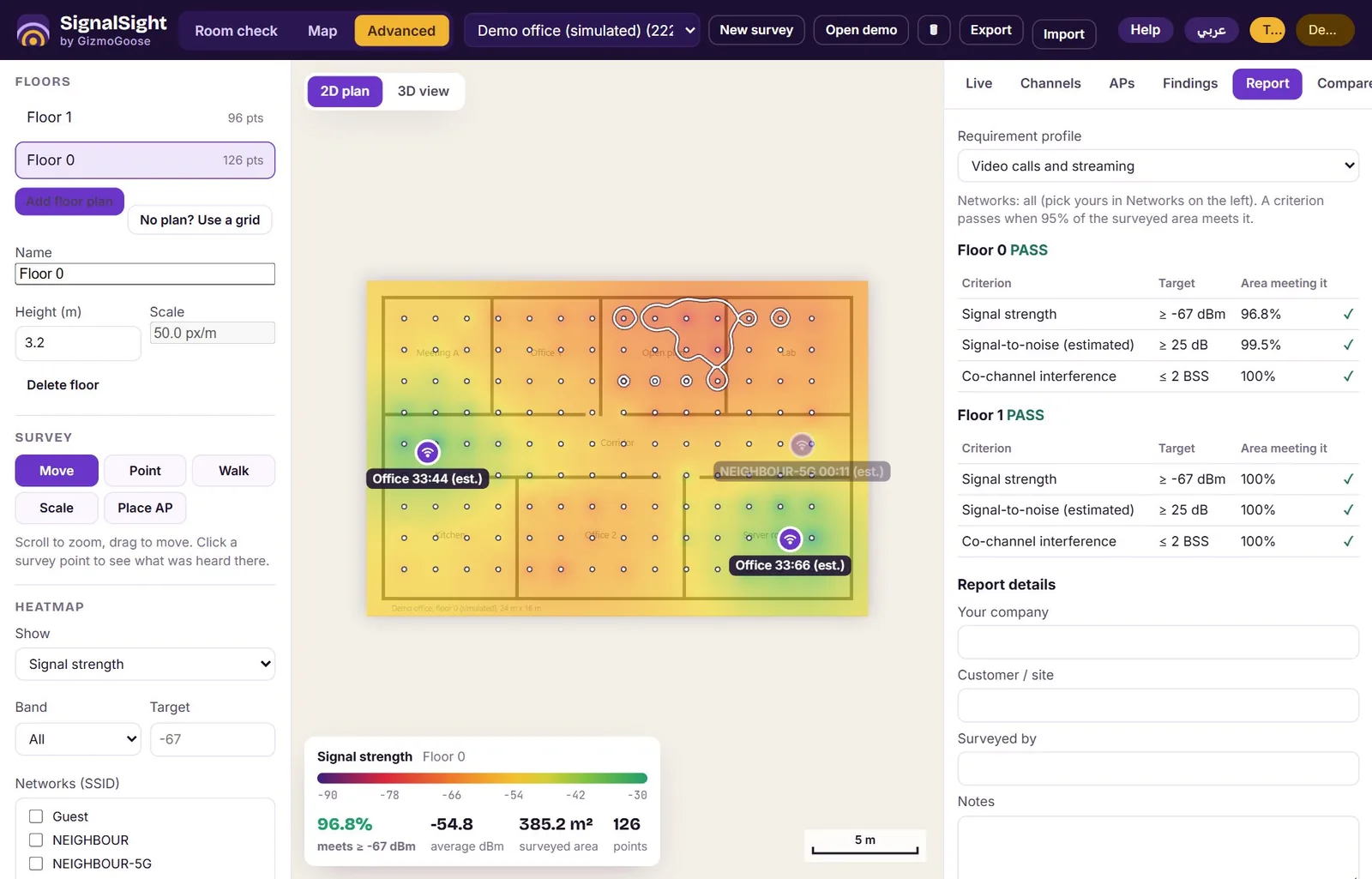
- Walk the floor plan for a real signal heat map, then plan with walls and antennas to see where a new unit should go before you buy it
Every feature
Check your Wi-Fi, room by room
- Your Wi-Fi here, at a glance: signal, speed and the network you are on, in plain words
- Walk to each room, press one button, and get a grade with what to do about it
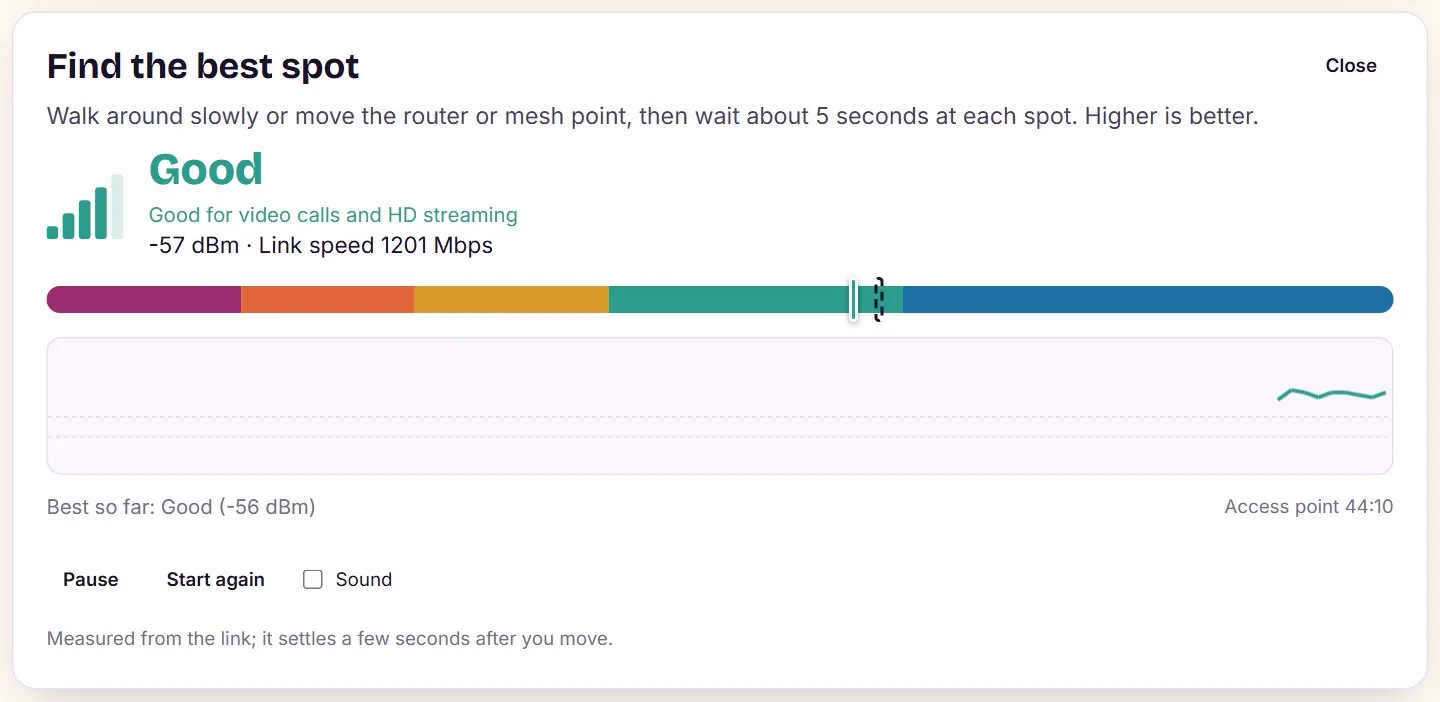
- A live signal meter for finding the best spot for a router, a TV or a desk
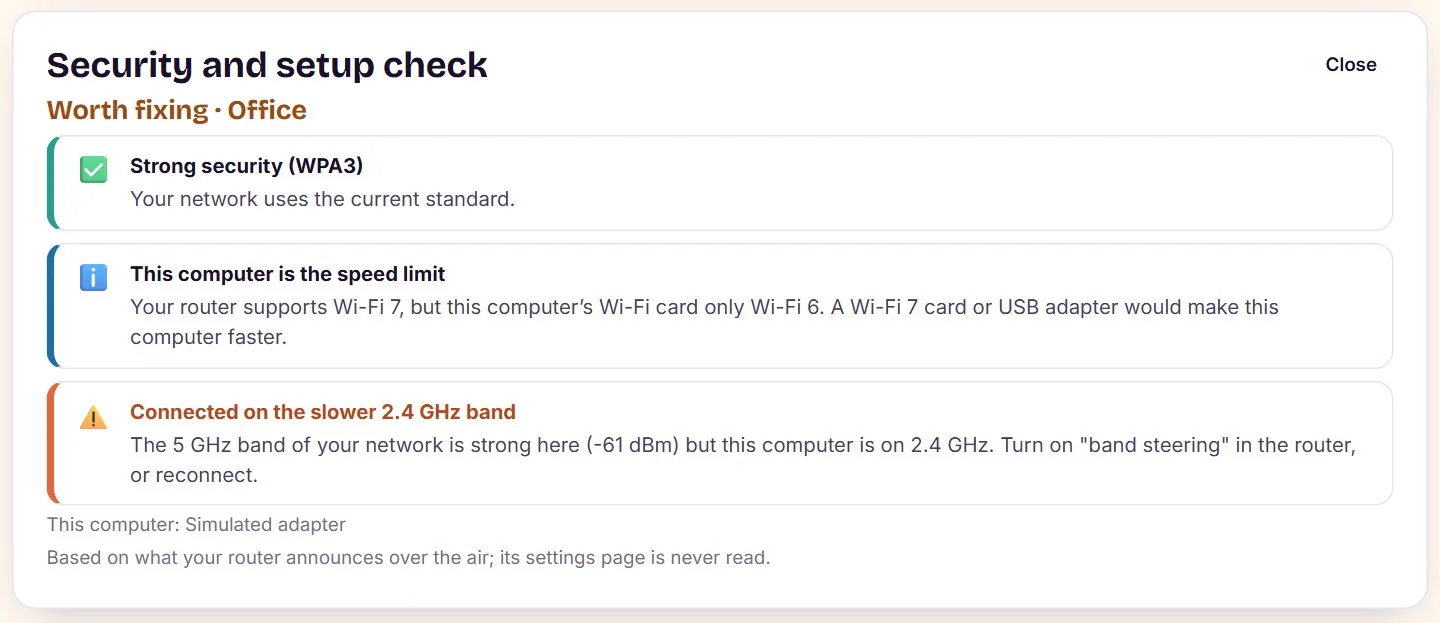
- A setup check: security, old Wi-Fi standards, a laptop card that holds back a fast router
My Wi-Fi setup
- Finds what you have: one router, a mesh system, a router with an extender, or several routers
- Each mesh unit by itself, its distance from you in metres and the distance between the units, with a simple map of where they stand
- Advice that fits: one name for every band, wired backhaul, extender placement and speed, two routers on the same channel
- The other names your units send (guest, hidden backhaul) and the bands they use
Channels for every band
- The least crowded channel for 2.4, 5 and 6 GHz, counting only your neighbours (your own units are left out)
- 6 GHz preferred scanning channels and 40, 80, 160 and 320 MHz channel blocks
- Mesh-aware advice from what every unit hears, not just the one you stand next to
Find what is wrong
- Wi-Fi or internet: tells you whether the problem is in your home or at your internet provider
- Why did it drop: every disconnection from the computer's own log, with the reason in plain words
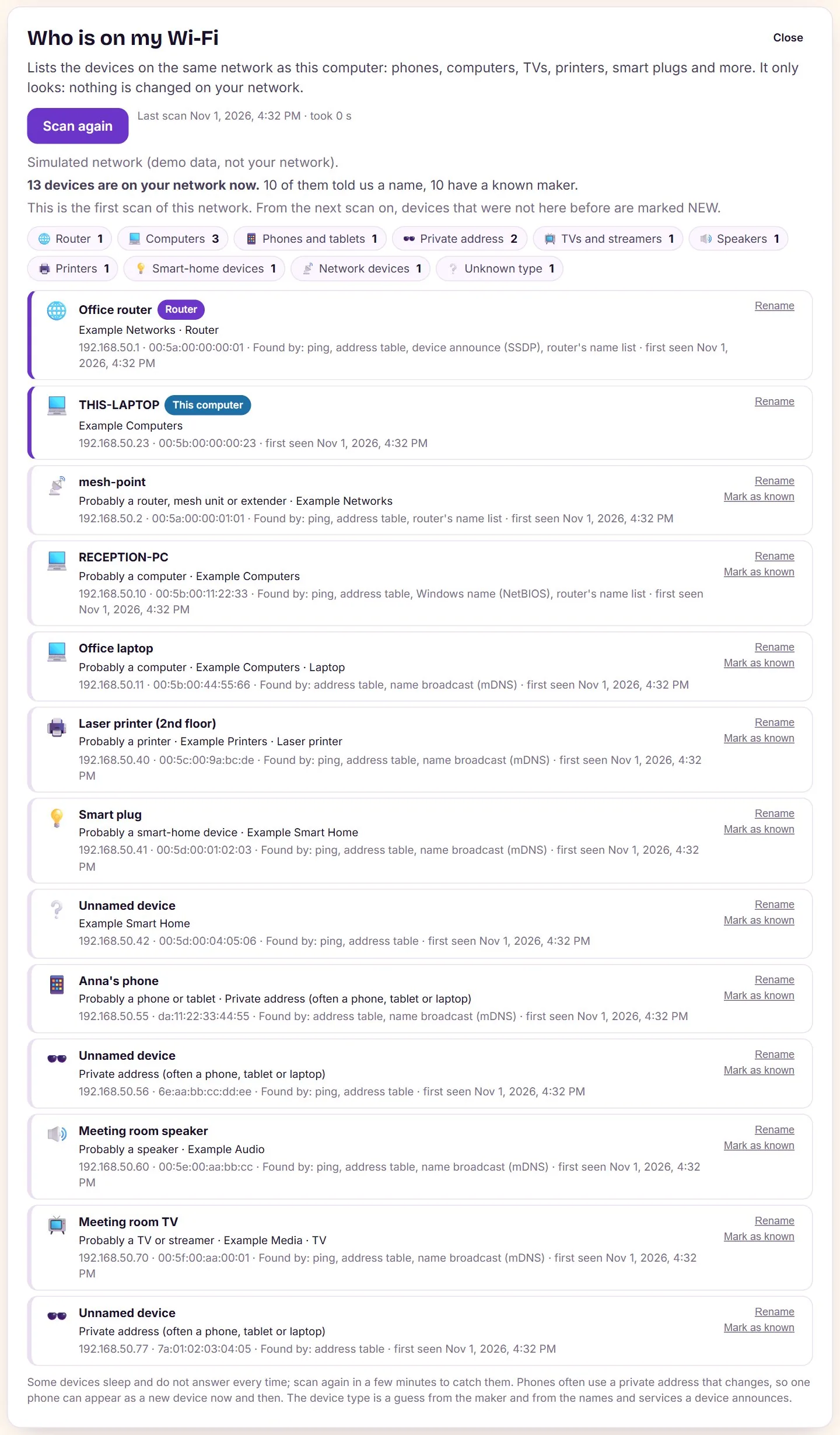
- Who is on my Wi-Fi: every device on the network, with its maker, and an overnight watch that shows when each one came and went
- Game and call mode: steady latency without background scans, a smart-home check and router conflicts such as double NAT
Survey and plan
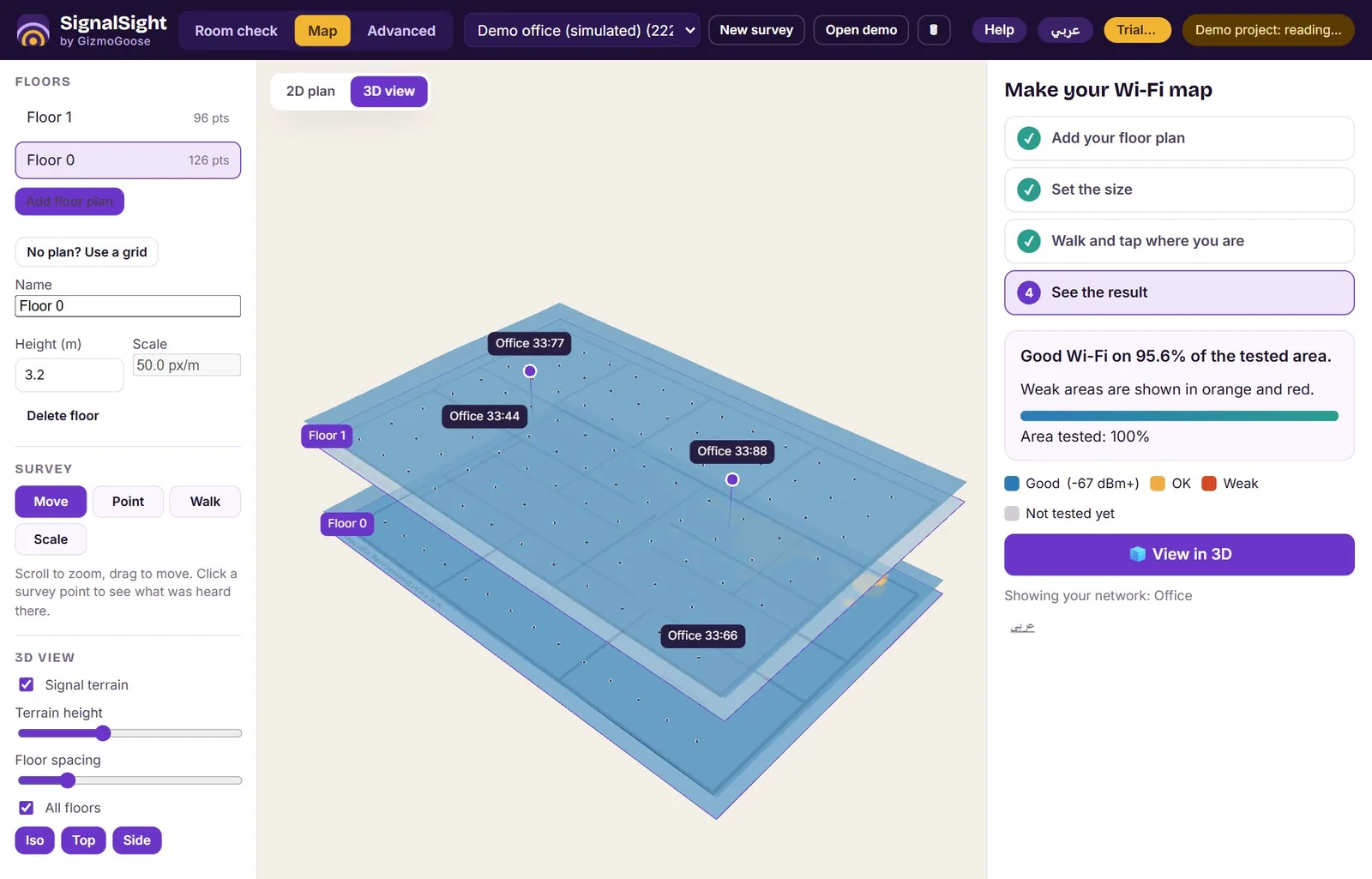
- Load a floor plan, walk it and get signal, speed and channel heat maps, in 2D or 3D over several floors
- Plan with walls: draw walls of brick, concrete, glass or drywall and see a predicted map, labelled as predicted
- An antenna library: routers, ceiling and wall access points, directional and outdoor antennas, aimed and tilted, or the maker's own antenna pattern files
- Where should the units go? SignalSight suggests positions for up to four units, each in reach of the last
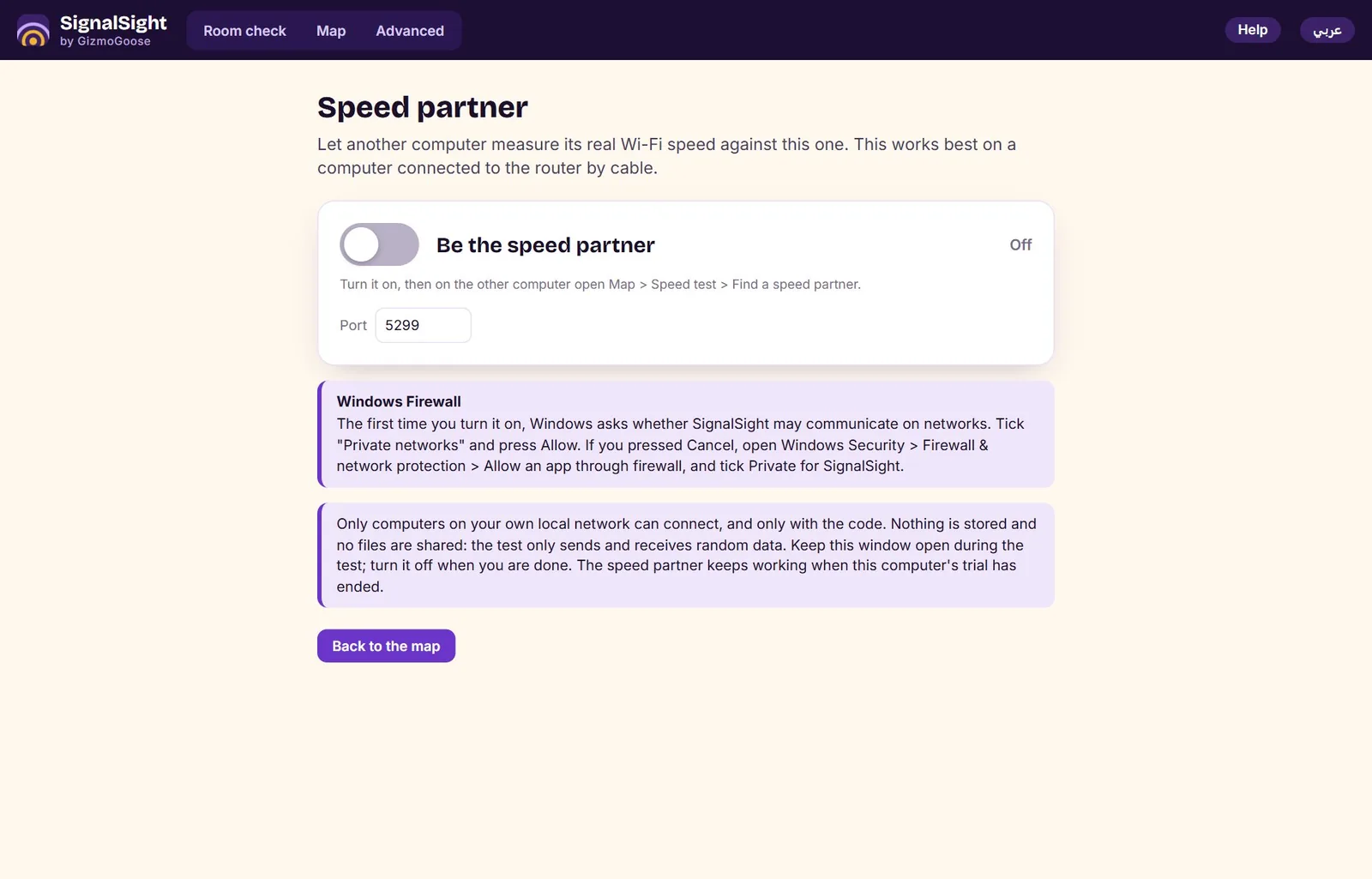
- Real speed between two computers: a speed partner on a second PC, and speed heat maps from every point you test
For technicians
- A job pack for the customer: summary in plain words, access point list and parts with prices, channel plan, checklist and before/after results
- Save it as HTML, PDF or Word, with your logo, in English or Arabic
- A full report of the survey with every finding and what to do about it
Private and yours
- Runs on your own computer: no account, no cloud, your surveys are never uploaded
- It goes online only for the internet speed test you start, licence activation and the update check
- Everything in English and Arabic, including the help guide
- A 3-day free trial with every feature, then pay once, no subscription
- One computer at a time, and you move the licence to a new computer yourself