
← All tools

VectorSight Pro

Draw, zoom, redact and document on top of any app, live while you present.

VectorSight Pro puts a sharp vector ink layer over everything on your screen: terminals, IDEs, dashboards, PDFs and Zoom or Teams shares. It is made for solutions architects, network and DevSecOps engineers, trainers, QA leads and anyone who explains things on a screen.

Your own controls stay invisible to the audience, secrets on screen get blurred before anyone sees them, and a live session can become a tidy step-by-step guide.

Try every feature free for 14 days (exports and recordings carry a small trial mark). When you buy, one key unlocks it on your computer, and you can move it to a new computer yourself, even without internet.

VectorSight Pro in pictures

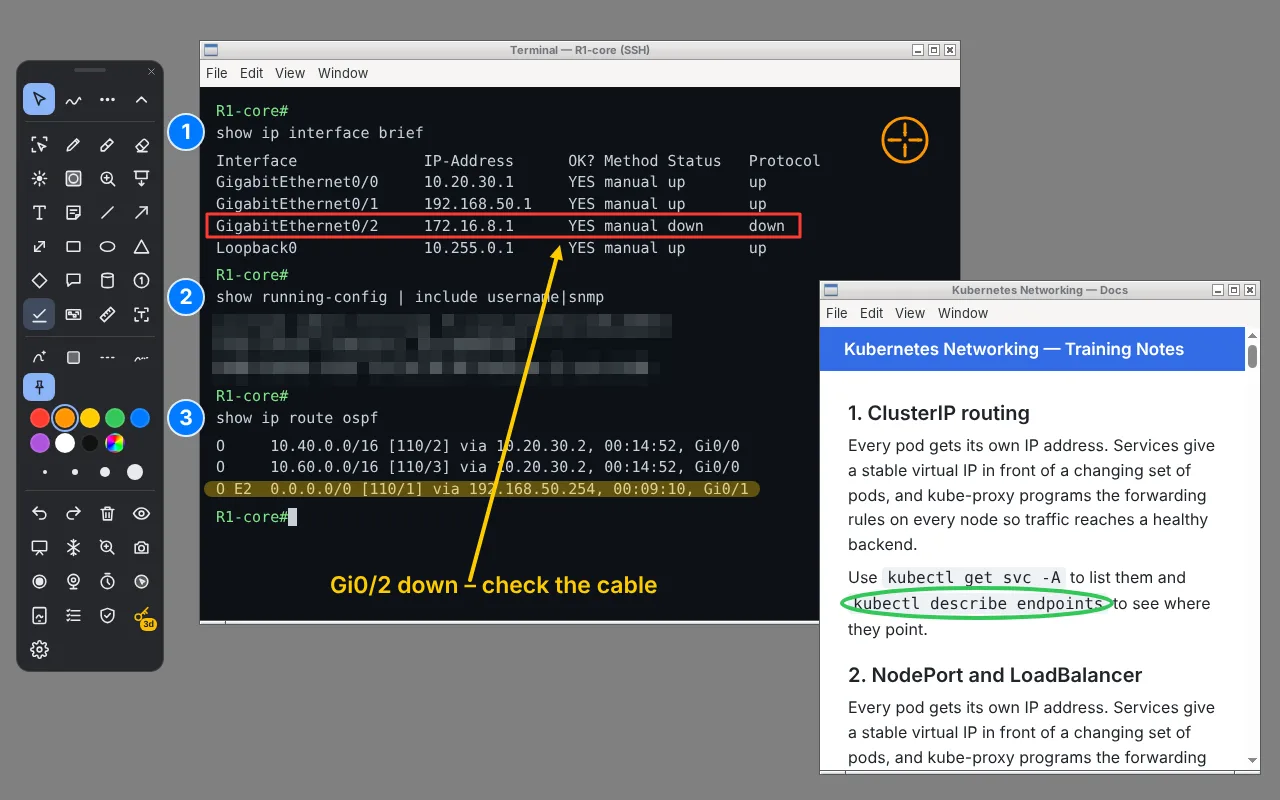
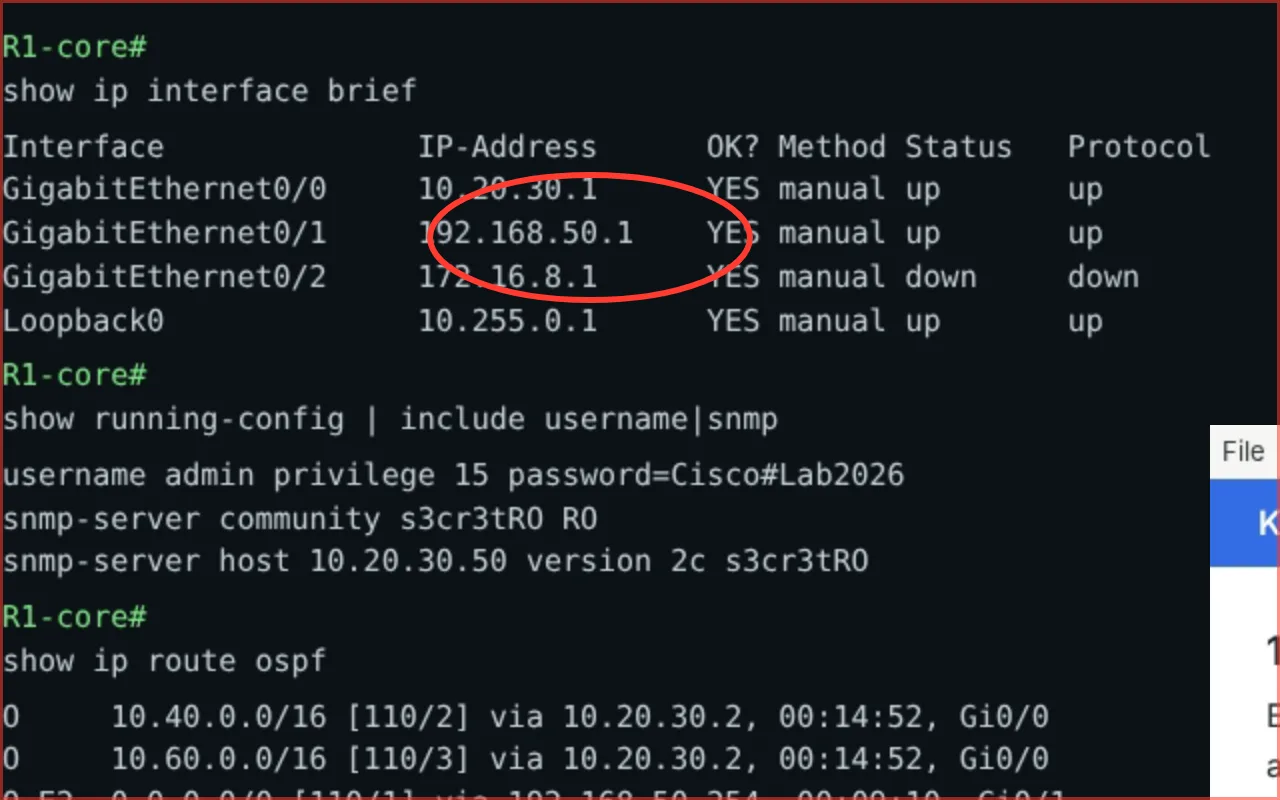
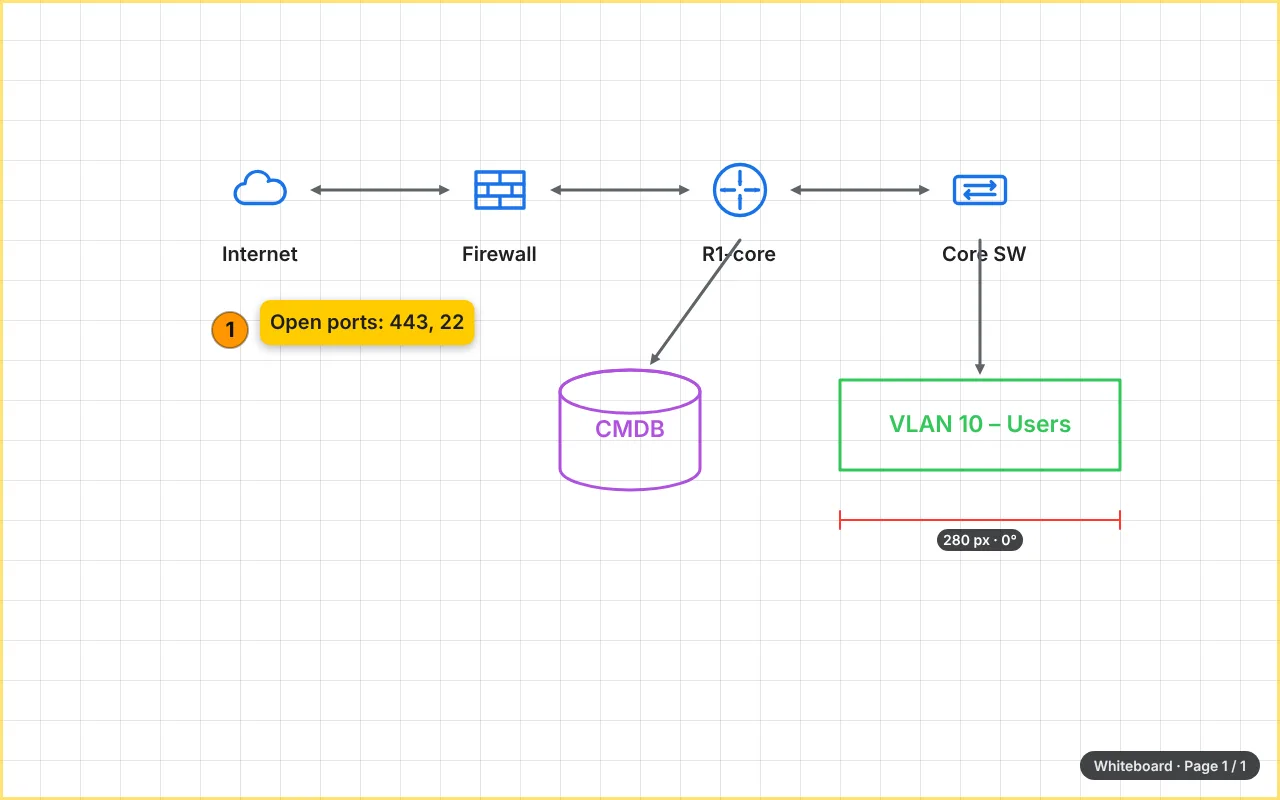
Vector ink over any app, with the toolbar out of the way
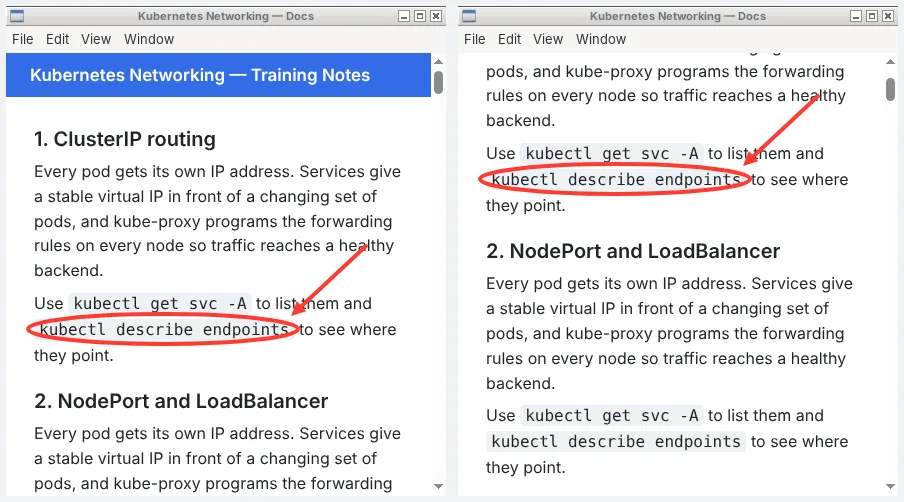
Ink pinned to a window scrolls with the page
Live zoom: pan, zoom and keep drawing
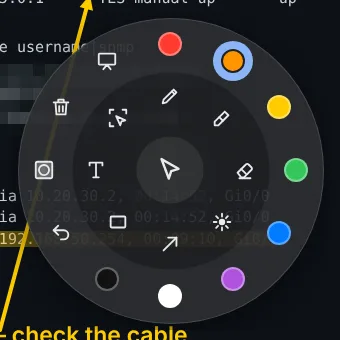
Radial menu at the cursor or the pen button
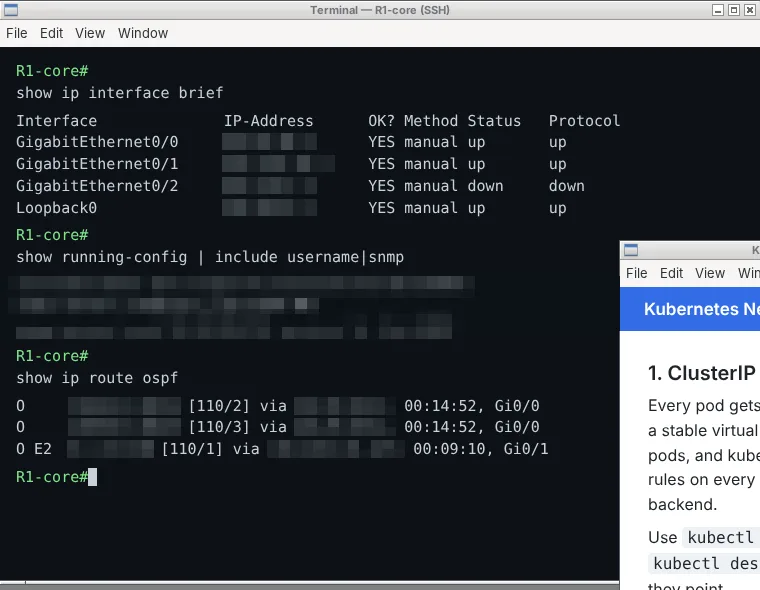
Privacy Guard blurs secrets as they appear
Whiteboard pages for sketching an architecture
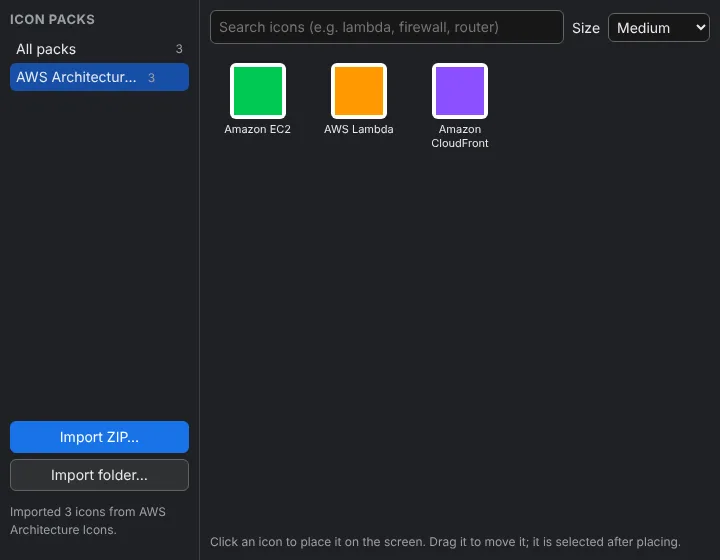
IT icon library with 3D stencils and connections
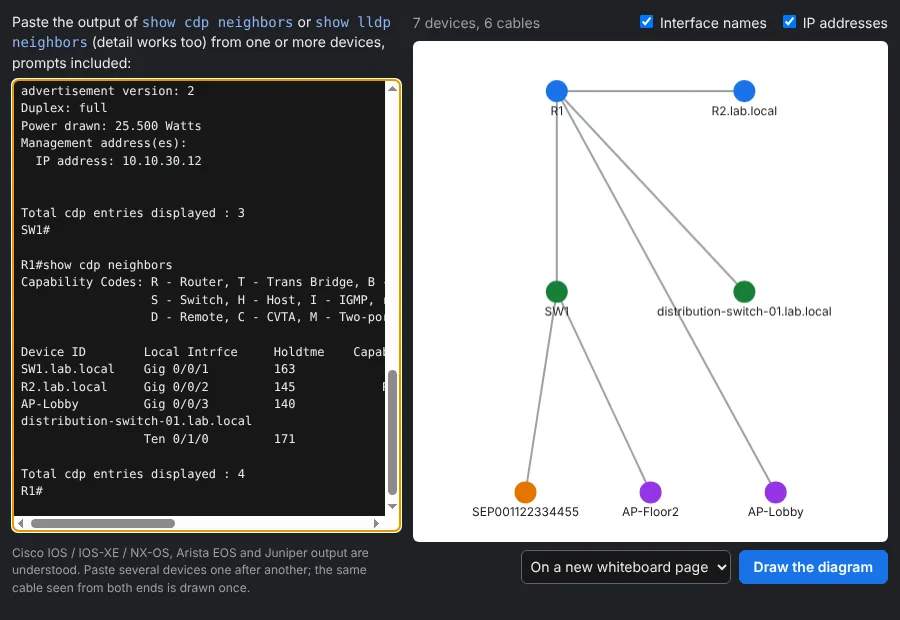
Paste show cdp / lldp neighbors and get a network map
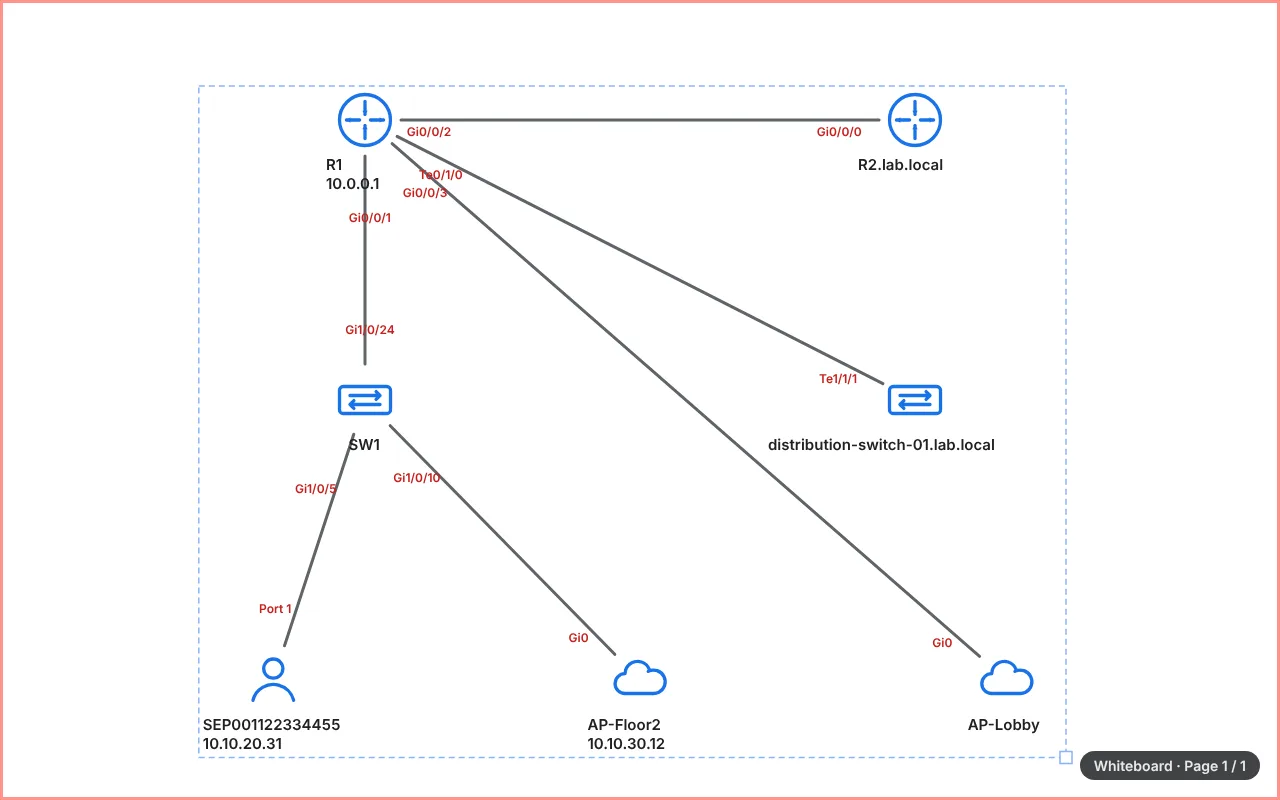
The topology drawn on a whiteboard page, ready to annotate
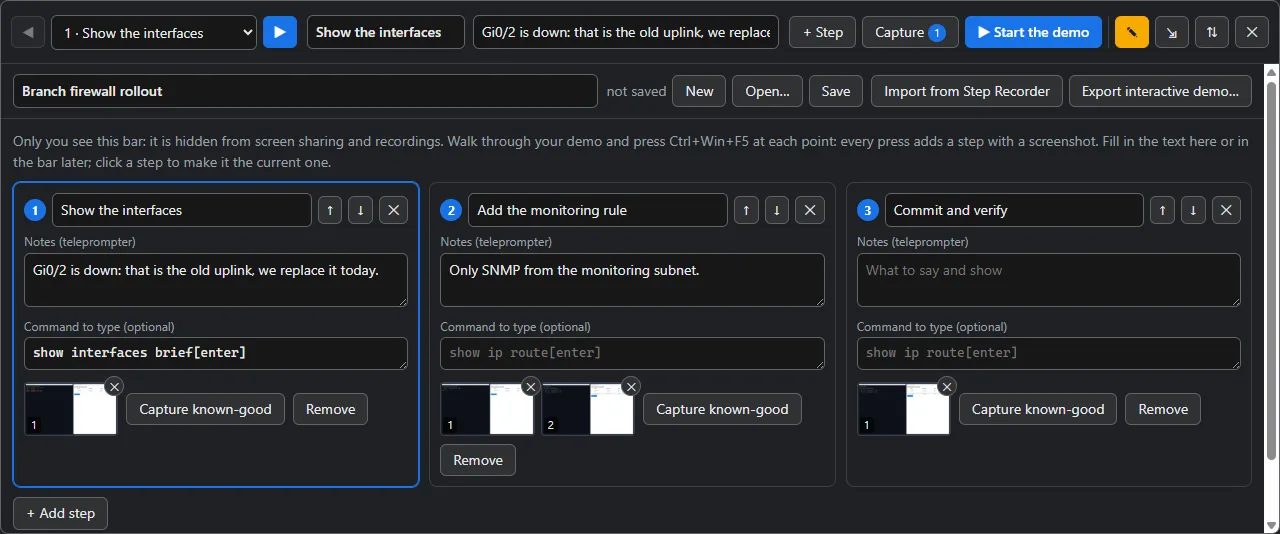
Demo Runner: steps, notes, commands and known-good screens
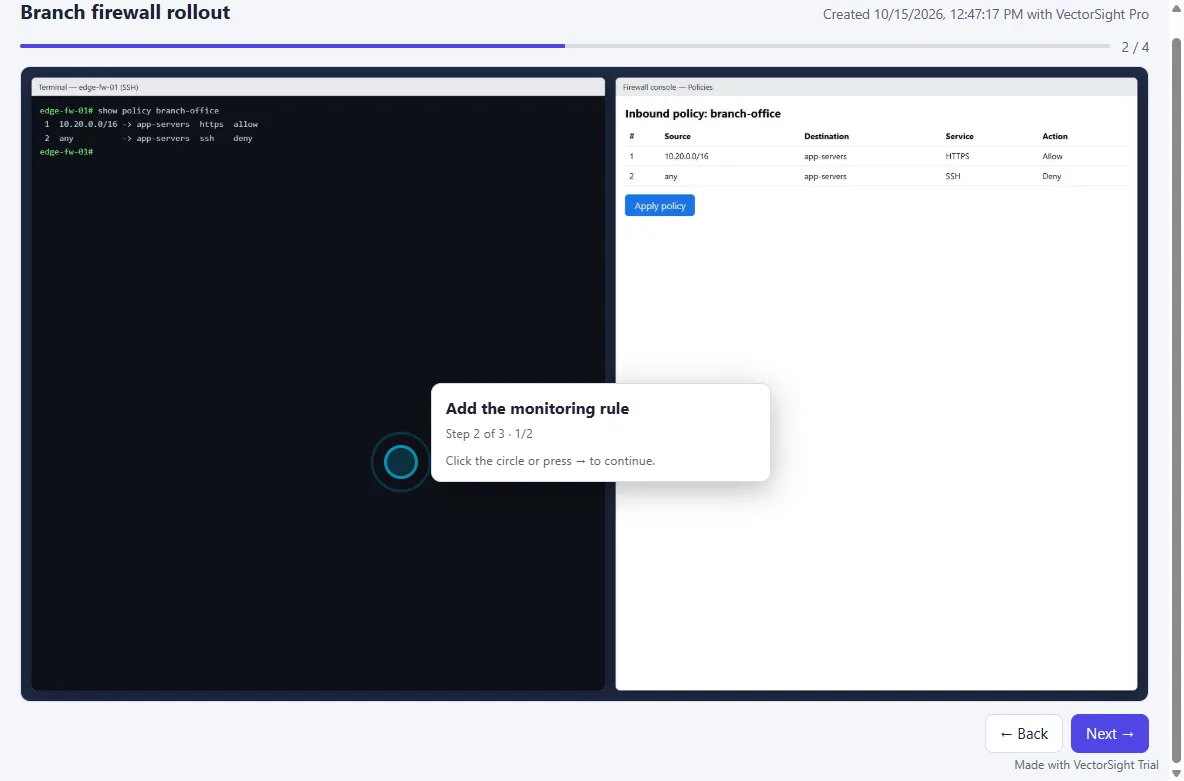
Send the demo as an interactive web page to click through
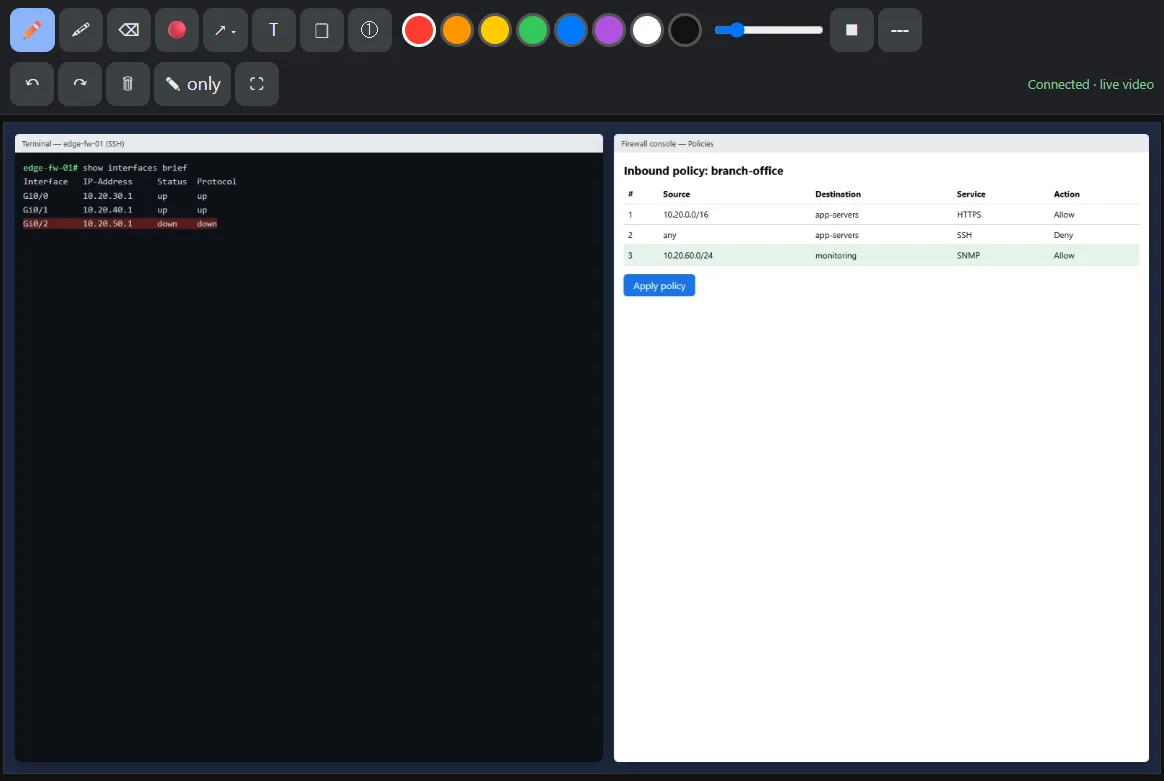
Tablet companion with live screen video
Live captions translated into two more languages, offline
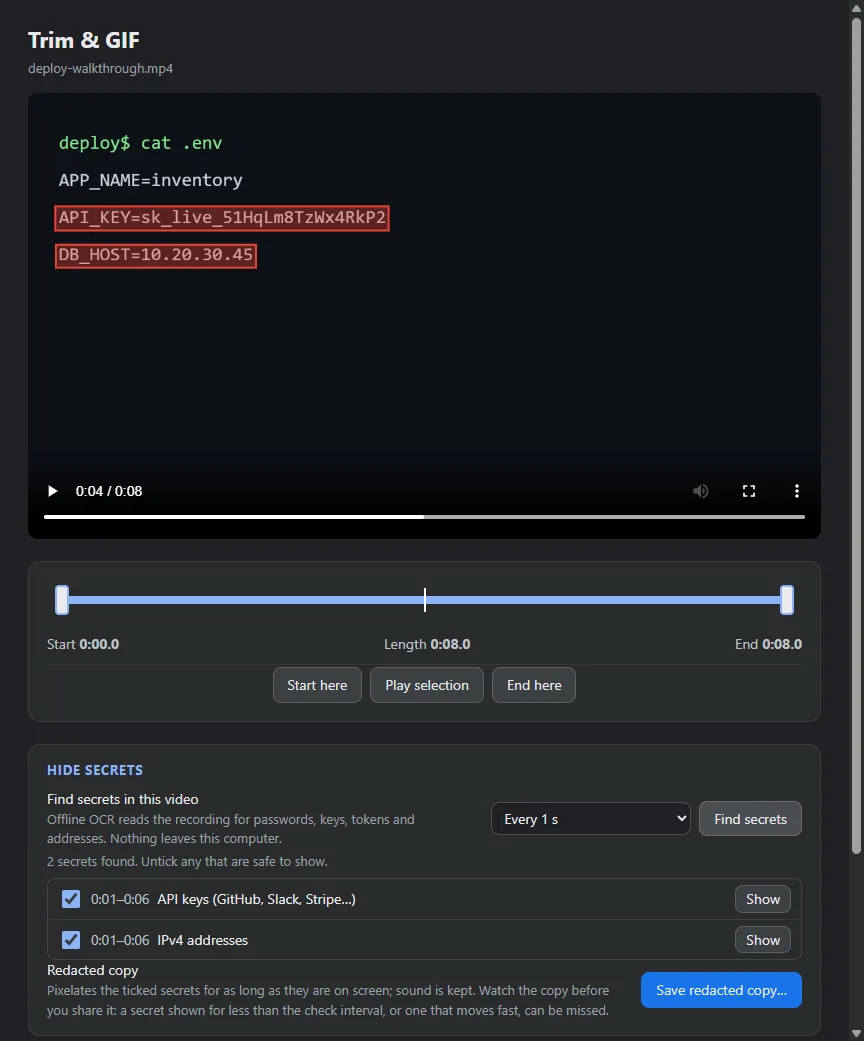
Redact a recorded video before you share it
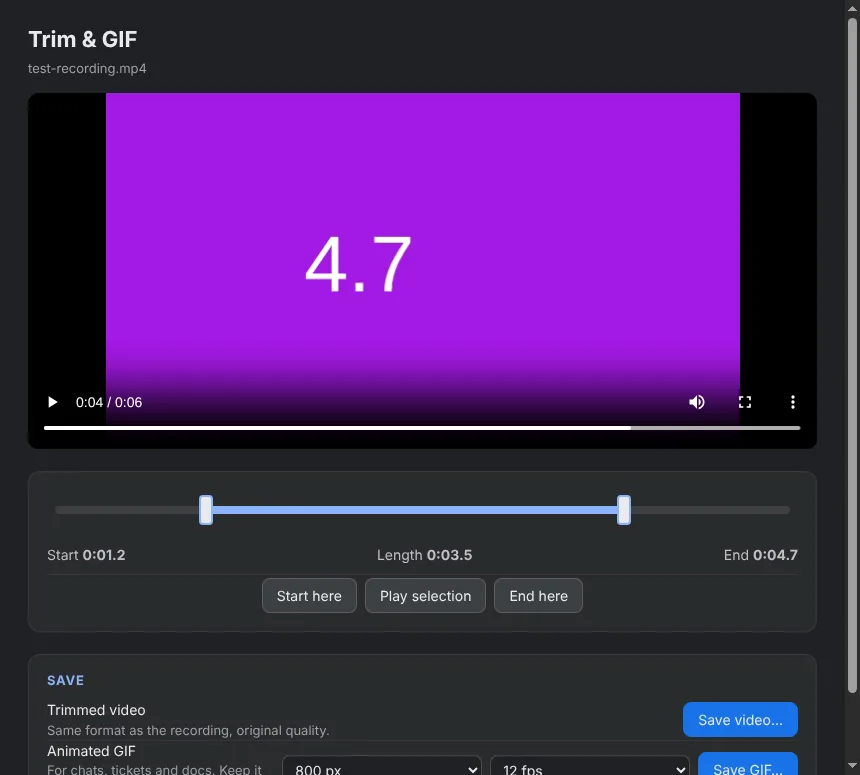
Trim a recording or turn part of it into a GIF
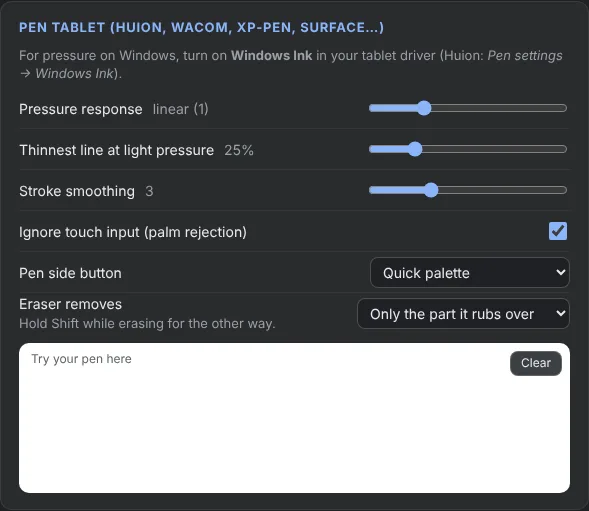
Pen settings for Huion, Wacom, XP-Pen and Surface

Vector ink over any app, with the toolbar out of the way

What it does

  • Pressure-sensitive vector ink over any app, with smart shapes, arrows, labels and stamps
  • Ink pinned to windows that follows them when they move or scroll
  • Live zoom while you keep drawing, laser pointer, spotlight and magnifier
  • Privacy Guard and panic blur hide passwords and secrets on screen and in recordings
  • Toolbar and menus stay invisible to screen sharing, so the audience only sees the ink
  • Draw from an iPad, Android tablet or phone, and show your screen live on other screens
  • Whiteboards, PDF annotation, and an IT icon library with 3D network stencils
  • Demo Runner turns a live session into a step-by-step guide with screenshots
  • Record, redact and trim videos and GIFs, with offline captions

Every feature

Ink and diagrams

  • Every stroke, shape, label and stamp stays a vector object you can select, move, resize, recolor, group, copy and paste, with 200 steps of undo
  • Pressure-sensitive pen with response curve, smoothing and palm rejection (Huion, Wacom, XP-Pen, Surface)
  • Smart shapes snap rough lines, boxes, circles and triangles to clean ones
  • Rectangles, ellipses, diamonds, speech bubbles, database cylinders and arrows that snap to shapes
  • An eraser that removes just the part you rub over
  • Measuring tool for lengths and angles, with real-unit calibration
  • Arrowheads, dashed and dotted lines, labels inside shapes, sticky notes and numbered step badges
  • Technical stamps (cloud, server, database, router, switch, firewall, Kubernetes pod and more) and an icon stamp
  • Locked background layer that cannot be moved, erased or cleared by mistake

Context-aware ink

  • Ink pinned to an app window follows it when it moves and hides when it is covered or minimized
  • Ink scrolls with web pages, PDFs, terminals and IDEs, in any app
  • Live redaction boxes over a window stay pixelated while it moves or scrolls

Presenting

  • Live zoom that stays live, so you can pan and keep drawing while zoomed
  • Scripted typing types your prepared demo commands, one snippet per key press, with no typos
  • Toolbar, menus, settings and license windows are invisible to screen sharing and recordings
  • Radial menu at the cursor, hold-to-draw key and pen-button support
  • Keystroke and click visualizer, find-my-mouse, cursor highlight, laser pointer, spotlight, magnifier, screen curtain and freeze
  • Whiteboard, blackboard and grid pages; open PDFs and images as pages and export the annotated PDF
  • Webcam bubble that moves out of the cursor's way, and a class or meeting timer
  • Tablet companion - draw from an iPad, Android tablet or phone over Wi-Fi, with live screen video
  • Live view - show your screen with the ink on other tablets, phones and smart screens by QR code

Privacy

  • Panic blur covers every screen at once, also in recordings
  • Privacy Guard finds IP and MAC addresses, emails, API keys, tokens, passwords and network-device secrets with offline OCR, and pixelates them
  • Redact tool, clipboard guard while recording, and a pause key that steps out of the way
  • Copy text from anywhere on screen, even from images, videos and remote desktops
  • Hide secrets in a recording - find and pixelate them across a whole video

Demos and documentation

  • Demo Runner - a presenter-only teleprompter with notes, commands to type and recorded known-good screens to fall back on when a lab breaks
  • Step recorder turns a session into a runbook - PDF, Markdown, HTML or Word
  • Publish step guides to Confluence, Jira, GitHub or Notion
  • Export an interactive demo as one web page anyone can click through
  • Screen recording with microphone and system audio, then trim it or make a GIF
  • Live captions and classroom translator, fully offline, in up to two extra languages, readable on students' phones

Diagrams

  • Built-in IT 3D icon pack with cables and connections in every direction
  • Import the official AWS, Azure, Google Cloud or Cisco icon packs, then search and place icons
  • Network topology from show cdp / lldp neighbors (IOS, NX-OS, EOS, Junos), laid out with interface names

Stream Deck and OBS

  • Stream Deck plugin with keys for tools, colors, live zoom, scripted typing, recording and more
  • OBS browser source with just your drawings on a transparent background
  • Test deck to try the buttons in a web browser

For teams and organizations

  • Interface in English, Arabic, French, Spanish, German, Portuguese, Turkish, Hindi, Chinese and Japanese
  • Group Policy / Intune, macOS profiles and Linux policy files; MSI and silent installs
  • Volume licenses and offline activation by file
  • Screen-reader names, high-contrast and reduced-motion support
  • Works offline after a one-time online activation - no telemetry, no account, no cloud

VectorSight Pro or VectorSight Studio?

Everything in Pro, plus Studio recording for polished product videos, tutorials and demos.

New · sold separately from VectorSight Pro

VectorSight Studio

Record your screen once and get a finished video. Studio records without the pointer, then draws a smooth cursor, zooms in where you click and frames it all on a background, with clean sound. No hand editing.

Everything in VectorSight Pro, plus

  • Screen recorded without the pointer on your graphics card (NVIDIA, AMD or Intel), up to 60 fps
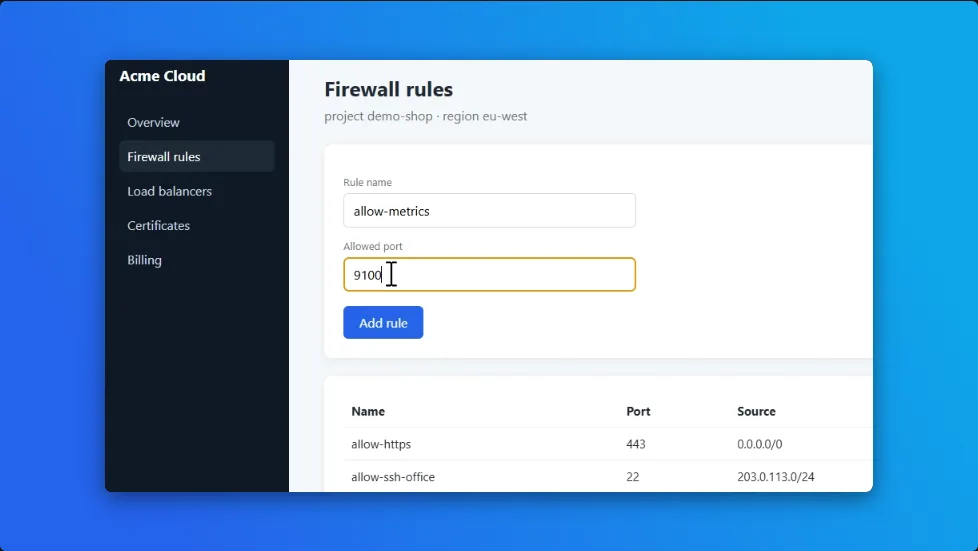
  • A smooth, sharp cursor at any size, re-drawn after recording
  • Automatic zooms where you click, adjustable on the timeline
  • Backgrounds, padding, rounded corners and shadow

Who it's forTutorials, product demos, online courses, YouTube and social videos, onboarding and support videos, and SaaS walkthroughs. For anyone who wants polished videos without editing them by hand.

  • Studio recording: Windows 10 and 11
  • v4.6.0
  • 14-day free trial

$49.99 once

Buy Studio

VectorSight Pro

For live teaching, presenting and annotating. Draw and zoom over any app, hide secrets, and record plain screen videos.

VectorSight Studio

For people who publish videos. Record once, then get the pointer re-drawn smoothly, automatic zooms where you click, a background and clean sound, exported as a polished MP4. Studio recording runs on Windows.

Volume licenses. For schools, teams and companies. One key for many computers, installed silently and managed with Group Policy or Intune, with or without Studio. Ask for a quote

A finished VectorSight Studio frame: an app window zoomed in on a form field, with rounded corners and a shadow on a blue background
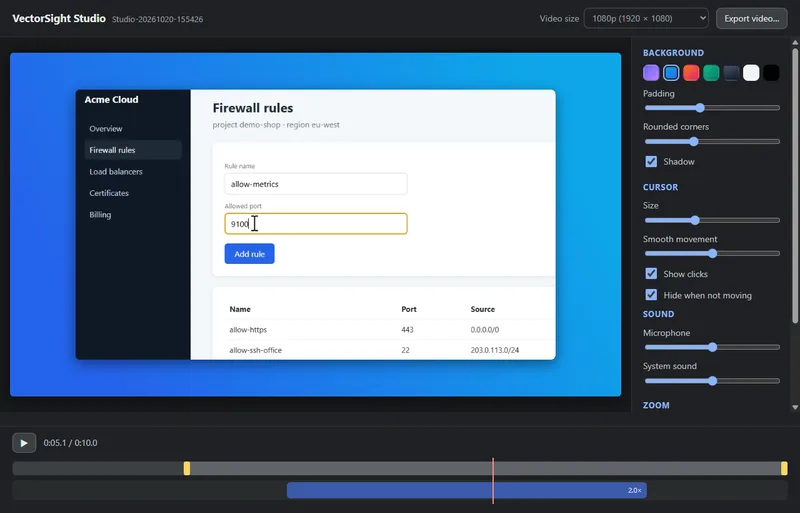
The Studio editor: background, cursor, sound and zoom settings beside the preview
Trim handles and an automatic 2x zoom on the timeline

A finished VectorSight Studio frame: an app window zoomed in on a form field, with rounded corners and a shadow on a blue background

Compare the editions

CapabilityVectorSight ProStudioVolume
Drawing and presenting
Vector ink, shapes, arrows and stamps over any app ✓✓✓
Live zoom, laser pointer, spotlight and magnifier ✓✓✓
Ink pinned to windows, scrolling with the page ✓✓✓
Toolbar invisible to screen sharing ✓✓✓
Tablet companion and live view on other screens ✓✓✓
Privacy and documentation
Privacy Guard and panic blur ✓✓✓
Demo Runner and step-by-step guides ✓✓✓
Whiteboards, PDF annotation, IT icons and topology ✓✓✓
Offline live captions and translation ✓✓✓
Recording
Screen recording with microphone and system sound ✓✓✓
Trim, redact and turn recordings into GIFs ✓✓✓
Studio recording - the screen without the pointer –✓Optional
Smooth re-drawn cursor and automatic zooms on clicks –✓Optional
Backgrounds, padding, rounded corners and shadow –✓Optional
Microphone and system sound in the Studio editor –✓Optional
Polished MP4 export with GPU encoding (NVIDIA, AMD, Intel) –✓Optional
License
Computers One at a timeOne at a timeAs many seats as you need
Move to a new computer yourself ✓✓Not needed
Silent install, Group Policy / Intune and file activation ✓✓✓
Free updates 1 year1 year1 year
Price$39.99 once$49.99 onceAsk us

Two separate purchases. VectorSight Pro and VectorSight Studio each come with their own purchase key ($39.99 and $49.99). VectorSight Studio already includes everything in VectorSight Pro, so there is no upgrade: if you want VectorSight Studio, buy it on its own.

Questions about Studio

Are Pro and Studio separate purchases?

Yes. Each has its own price and its own purchase key. Studio already includes everything in Pro, so you never need both on one computer.

I already own Pro. How do I get Studio?

Buy Studio; there is no upgrade from Pro. Enter the new Studio purchase key in the License window and it replaces the Pro key on that computer. Your Pro key stays yours for another computer.

Does Studio work on Mac and Linux?

Studio recording runs on Windows 10 and 11. On a Mac or Linux computer a Studio key works like Pro, with every other feature.

Can I try Studio before buying?

Yes. The free trial includes Studio, so you can record and export with it (exports carry a small trial mark).

Is Studio a subscription?

No. Like Pro, you pay once and keep it, with a year of free updates.

Goose-approved. Pay $39.99 once and VectorSight Pro is yours. No subscription, no honking around.